Super Keys
by Tyler Elliott5.0
2 reviews
35
users
Published
July 19, 2025
Screenshots


Description
The chrome extension that lets you map keyboard shortcuts to JavaScript actions.
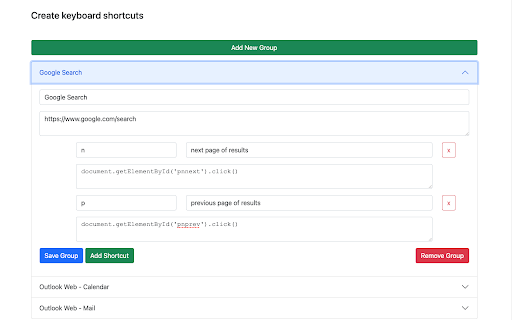
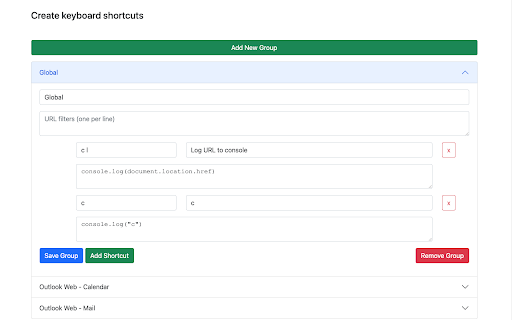
Using this extension requires at least some knowledge of JavaScript. Typical usage would be writing a selector to find an element on the page and calling the `#click` method on that element. For example, to add a shortcut on the Google search results page to go to the next page of results, you might map something like `alt+n` to
document.getElementById('pnnext').click()
Release Notes
2.1.0 - Update for some changed APIs in Chrome for user scripts. This should be working, but about a year ago when I first tried it worked in development but not production. Further debugging may be required.
2.0.2 - Backend rewrite to work with Chrome manifest V3, wildcard URL patterns now supported - this version is buggy, but V2 no longer works.
1.0.0 - Initial Version