
Backup Emails to AWS S3 by cloudHQ
by cloudHQ5.0
18 reviews
270
users
Published
November 27, 2025
Screenshots


Description
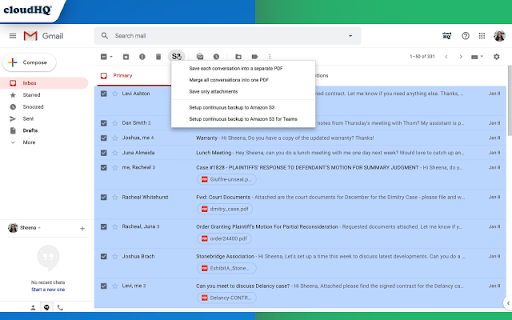
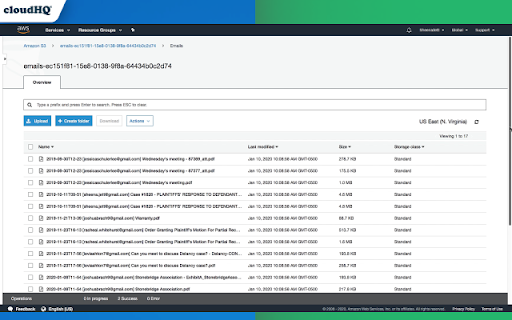
Are you looking to save your emails from Gmail™ to Amazon S3 or Amazon Glacier? This is a really simple way for you to backup important emails, if not all your emails, with 3 simple steps:
1. Select the emails you want to back up
2. Authorize your AWS account
3. Save them in the format you prefer
And you're done! This is the easiest solution to backup your Gmail™ or Google Workspace™ account emails into Amazon S3 or Amazon Glacier.
You can even back up your emails as:
✅ 1 email at a time
✅ A selection of emails
✅ All your emails
✅ All your teams' emails
Give it a try today and save your Gmail™ emails to AWS S3 or Amazon Glacier.
cloudHQ. Helping your productivity, 1 click at a time.
cloudHQ website: https://www.cloudhq.net/
App website: https://www.backup-emails-to-s3.com/
Pricing: https://www.cloudhq.net/pricing
Support page: https://support.cloudhq.net/category/how-to-setup-one-way-sync/backup-g-suite/
Blog: https://blog.cloudhq.net
Demo: https://www.cloudhq.net/demo
Google Workspace, Google Sheets, Google Drive, Google Alerts and Gmail are trademarks of Google LLC. Use of this trademark is subject to Google Permissions.
cloudHQ is trademark of CloudHQ LLC. https://www.cloudhq.net/trademark