
MS Edge TTS (Text to Speech)
by yacine-bens4.3
77 reviews
8.0K
users
Published
August 30, 2025
Screenshots


Description
✨ NEW FEATURE: Dark mode is finally here!
This is a text-to-speech browser extension that utilizes Microsoft Edge's Online TTS service. It offers several notable features:
1. Natural Sounding Voices: The extension provides high-quality, natural-sounding voices for a more engaging and enjoyable listening experience.
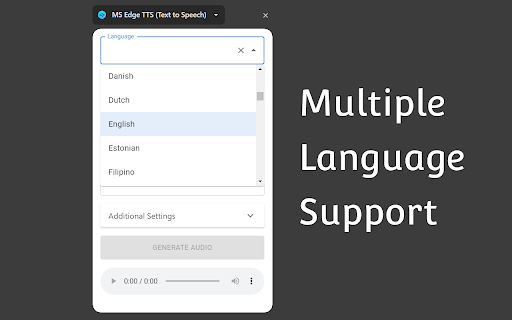
2. Multiple Language Support: It supports a wide range of languages, allowing users to listen to text in their preferred language or translate text into different languages.
3. Context Menu Item: The extension integrates a context menu item, enabling users to quickly and easily convert selected text into spoken audio with just a right-click.
4. Download Generated Audio File: Users have the option to download the generated audio files.
5. Advanced Controls: The extension offers advanced controls for adjusting the rate, pitch, and volume of the generated speech.
6. Free for Personal and Commercial Use: The generated audio files are free to use for both personal and commercial purposes.
7. User-friendly Interface: The extension features a user-friendly interface that is easy to navigate and use. The extension provides language and country auto-complete functionality, making it quick and convenient for users to select the desired language or country for text conversion.
Attribution:
The extension icon is created by Freepik - Flaticon:
https://www.flaticon.com/free-icons/loud-speaker