
TwReplyExport - X/Twitter Replies Export
by enthe lam3.0
4 reviews
1.0K
users
Published
December 2, 2025
Screenshots

Description
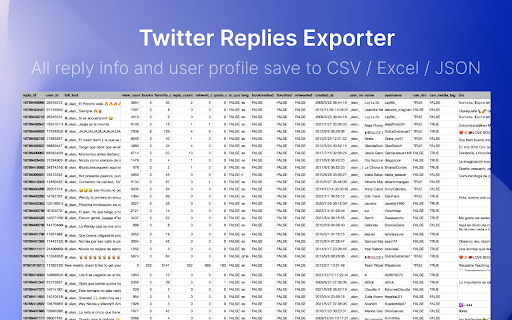
Scrape and Extract replies & comment list of any tweet, Save reply content and user info list to CSV / Excel / JSON.
HOW TO USE?
1. Enter a Tweet link
2. Click the start button
CHANGE LOG
v2.7.0 CHANGE LOG
- Add filter feature.
v2.6.0 CHANGE LOG
- Add realtime check if a user can receive DM from your account.
- Fix the init issue.
v2.4.0
- Fix the fetch data not working issue.
- Add auto continue when show more hidden replies tips.
v2.3.0
- Fix can_dm, location fields issue.
- Fix the user info stuck issue.
v2.1.0
- Fix the 404 issue.
v2.0.0
- Add batch mode, Export tweets replies in bulk, automatically one by one.
🔥 Upgrade
✔︎ Support X.com and Twitter.com link
✔︎ Save export history to local storage
✔︎ Continue task progress from history
✔︎ Add websites, first name and last name fields. You can find emails with domain and name by some email hunters.
👋 FAQ
TwReplyExport uses the Twitter website to load tweet replies. There is some limit on websites, Twitter does not always show all replies on the website.
More info: https://twrepliesexport.extensionsfox.com/#faq
If you have any questions, please keep in touch via [email protected].
🔒 DATA PRIVACY
All data is processed in your local computer, never passing through our web server, and no one knows what you save.