Memo Notepad
by Adylitica4.5
2,666 reviews
60.0K
users
Published
March 8, 2019
Screenshots

Description
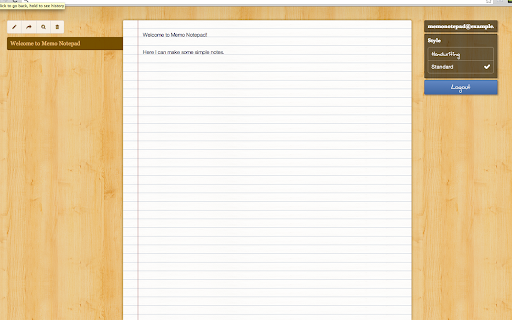
Memo Notepad is a very easy and simple way to write your notes in Chrome. Your notes are saved as you type to your local computer, and you can also sync and backup your notes via the cloud service.
Memo Notepad is just like a real life notepad: what you write on it, stays there. There's no waiting or pressing a lot of buttons, it's as simple and easy as a piece of paper ;) Memo Notepad is a perfect place for your thoughts, email drafts, journals, lists, or study notes.
You can use Memo Notepad offline or online, all your notes made offline will sync when you get back online. You can access all your notes offline. You can search through your notes, and find what you are looking for instantly as you type. You can access your notes anywhere via www.memonotepad.com. Free iPhone and iPad versions are available on the App Store and an Android version is in development.
Tips:
- Change the font and size by clicking your name in the top right (after logging in)
- Select and right click on text on any webpage and you can add it directly to your Notepad
- If you forget your password, guess a password to reveal the 'forgot password' button.
- If you ever run into any issue or your notes won't load, contact support / check the web version at memonotepad.com
Options:
- Cloud Sync: cloud sync to sync and backup all your notes
- 3 fonts (standard, handwriting, typeset)
- Dark mode (in-app purchase)
Sync
- FREE Cloud sync for backup and syncing between your computers
- Google Drive sync: 2 way sync your notes with Google Drive (in-app purchase)
- Dropbox sync: 2 way sync your notes with a Dropbox folder (in-app purchase)
Other Platforms
- FREE iPhone version available on App Store: https://itunes.apple.com/us/app/memo-notepad/id917599582?mt=8&at=11lKbj
- FREE iPad version available on the App Store: https://itunes.apple.com/WebObjects/MZStore.woa/wa/viewSoftware?id=1062216408&mt=8&at=11lKbj
- We are working on Memo Notepad for Android
- You can also access your notes via www.memonotepad.com
Other Apps
- Also try our Chrome App for todos: https://chrome.google.com/webstore/detail/do-it-tomorrow/nfagjoblnoeagfhfhohcdklnddjaiglo
Sync Privacy Policy
- https://account.adylitica.com/txt/privacy_policy.txt
Memo Notepad is a project we are working to make a great app for everyone's notes. Please email us at [email protected] with your feedback, questions, issues, ideas, or just to say hello :)