Floating Notes
by guptapritam2855.0
1 reviews
367
users
Published
March 11, 2025
Screenshots
Description
Full Description:
🚀 Boost your productivity with Floating Notes! This Chrome extension allows you to open a lightweight, floating notepad directly on your screen while browsing. No more switching between tabs or losing track of your thoughts—just open the notepad and start writing!
Features:
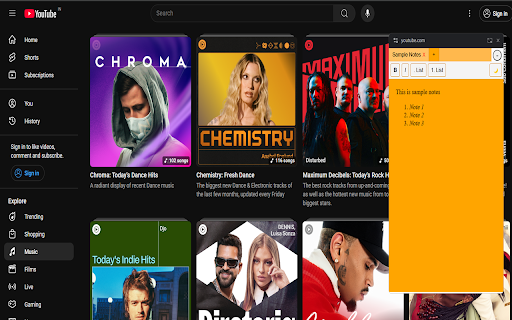
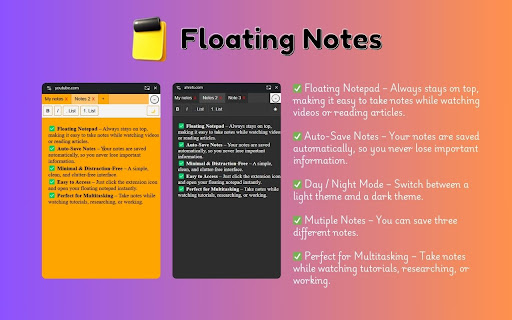
✅ Floating Notepad – Always stays on top, making it easy to take notes while watching videos or reading articles.
✅ Auto-Save Notes – Your notes are saved automatically, so you never lose important information.
✅ Minimal & Distraction-Free – A simple, clean, and clutter-free interface.
✅ Easy to Access – Just click the extension icon and open your floating notepad instantly.
✅ Perfect for Multitasking – Take notes while watching tutorials, researching, or working.
💡 How to Use:
Click on the extension icon.
Press "Open Notes" to launch the floating notepad.
Start typing! Your notes will be saved automatically.
Enjoy seamless note-taking without interruptions! 🎯
👉 Install now and stay productive! 🚀