Customizer
by Rob Bennett5.0
1 reviews
215
users
Published
November 22, 2025
Screenshots


Description
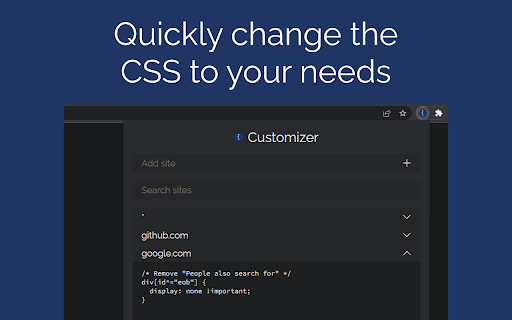
Sometimes websites don't look the way you want them to. Simplify or change them with Cascading Style Sheets. CSS can be applied to many pages with the * wildcard. It is applied before the HTML loads. The CSS is edited in a popup window or the big options page, not in a sidebar of the page; you are not hindered by the page.
Features:
• Edit CSS: View & edit styling for one page or many
• Storage Sync: Options saved for use on any computer
Instructions: Configure Keyboard Shortcut:
1. Click the icon for this extension
2. Click "Keyboard shortcuts"
3. Make a keyboard shortcut for "Big options page: edit site"
4. In the future, use this shortcut so you can use "Inspect Element"
Instructions: Add Site:
1. Open the popup or big options page
2. Go to the field "Add site"
3. Type in a URL like the following
• Normal: en.wikipedia.org
• Wildcard: *.wikipedia.org or *
4. Hit enter or click the plus button
Instructions: Edit CSS
1. Open the popup or big options page
2. Add rules and change properties
3. Refresh the site
Add to Chrome
Quick Info
- Version
- 3.5
- Size
- 166KiB
- Price
- Free
- Type
- Extension
Categories
Languages
English (United States)