
ListenOnRepeat: Youtube to LOR
by Listenonrepeat3.7
3 reviews
1.0K
users
Published
January 26, 2023
Screenshots

Description
Do you want to get your favorite songs and playlists from YouTube transferred to ListenOnRepeat in a few clicks? Now it's possible with the ListenOnRepeat: Youtube to LOR chrome extension. Just follow these simple steps and you'll be grooving away in no time:
1. Download the extension and sign in/up for a Listenonrepeat account through the logo if need be
2. Create a playlist on Listenonrepeat (if you don't have any already).
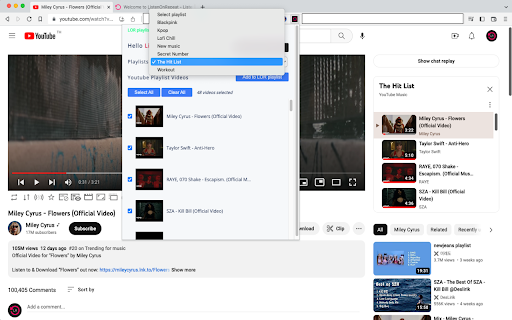
3. Head over to YouTube and select which songs or playlists you wish to transfer.
4. Select which Listenonrepeat playlist you would like to transfer them to from the dropdown menu, then click "Add to LOR Playlist".
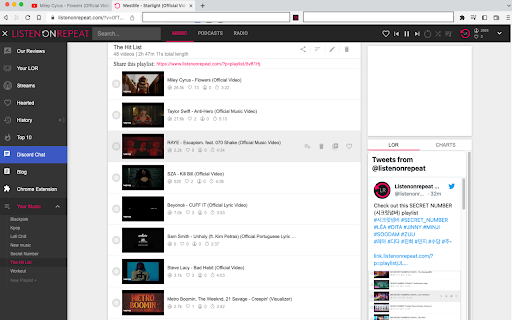
5. You're all set! The extension will move the songs to your Listenonrepeat playlist.
6. Sit back and enjoy unlimited playback of all your transferred songs or playlists on Listenonrepeat.
With the ListenOnRepeat: Youtube to LOR chrome extension, transferring your favorite music and enjoying it on Listenonrepeat has never been easier.
Add to Chrome
Quick Info
- Version
- 0.0.1
- Size
- 46.82KiB
- Price
- Free
- Type
- Extension
Categories
Languages
English (United States)