TitleUrlCopy
by takedajs4.8
6 reviews
2.0K
users
Published
June 22, 2022
Screenshots


Description
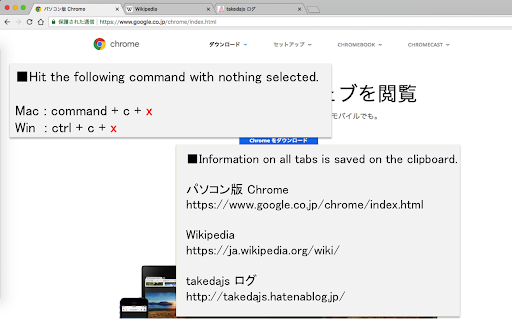
When you press command+c (mac) or ctrl+c (win) with no character selected, save the site title and URL on the clipboard.
When you want to acquire all tabs: command+c+x (mac) or ctrl+c+x (win).
■option setting
・You can select the information that can be copied from "title & URL", "title only", "URL only" or "Markdown".
・You can choose whether or not to activate functions that can obtain all tabs
■supplementary information
・Currently does not work on some sites, such as the following
https://chrome.google.com/webstore/category/extensions
文字を選択していない状態でcommand+c (mac) or ctrl+c (win) を押下した時、サイトのタイトルとURLをクリップボードに保存します。
全タブを取得したい場合: command+c+x (mac) or ctrl+c+x (win)。
■オプション設定
・コピーできる情報を「タイトル&URL」、「タイトルのみ」、「URLのみ」、「マークダウン」の4つから選択可能できます。
・全タブ取得できる機能を動作させるかどうか選択できます。