URLDict
by shnst5.0
1 reviews
6
users
Published
February 2, 2023
Screenshots


Description
Usage:
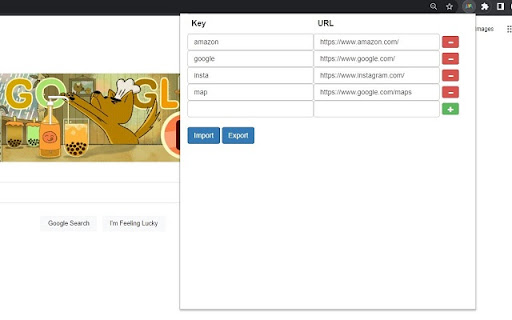
1. Define keyword to URL dictionary in the extension popup which you can open by clicking the extension icon. I recommend to pin this extension.
2. Open the jump popup by pressing 'Ctrl+B' by default. You can change the shortcut key in the extension menu.
3. Type the keyword you defined and press 'Enter' or click Jump button to open the URL.
Features:
- Import/Export dictionary from/to a json file.
- Find an existing tab option.
- Press 'Tab' to autocomplete in the jump popup.