Other extensions published on the same day
Ready standard (quickly) saved answers to frequently asked questions. Adding answers with categories. Quickly copy saved sentences to the text of a letter, messenger, form, and anywhere. The extension records responses in the Google Chrome storage with Google account synchronization. It does not...
Removes locale prefixes added from your search engine to wowhead.com pages.
Select an answer on multiple choice tests with number keys (1-4) Use arrow keys to go to the next (→) or previous (←) question Note: For drag tests, you still have to use your mouse/trackpad. Disclaimer: The developer of this extension has no affiliation with Theorieexamen.nl. All rights...
It makes easy to inspect the structure of a page with no need to open the browser console. Just select the type of html tag to outline, on page, and to display a label with basic info. Some features are: - List the most common html tags - Get info about the tittle and description tags -...
Inspired by the NoGuardian chrome extension, YoGuardian intends to make the default, boring GoGuardian block page look more appealing to everyone. Featuring 10+ different visual styles, YoGuardian makes being safe on the internet more enjoyable. Changelog: 1.1 - 🔧 Updated manifest version - 🔥...
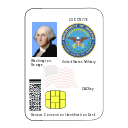
CACKey is a ChromeOS module that enables users to authenticate to remote web sites using certificates on their US Department of Defense Common Access Card (CAC) smartcard or US NIST SP 800-73 Personal Identity Verification (PIV) smartcard. It relies on another application, "Google Smartcard...
Reading a long web page is complicated, because the content is linear and most of the website doesn't have a table of contents, and it makes it difficult to know the structure of the whole webpage, it is also difficult to go to a specific part. It would be nice if we could know the page...
Extensions from categories: Just for Fun
This extension features some of the great Naruto background to make you feel good on your Chrome browser. Extension Features: 1. Shuffle Naruto wallpaper every time you open a new tab. 2. Randomize Naruto background or favorite it in wallpaper selection panel. 3. Search bar where result from...
This extension features some of the great Cute Dogs & Puppies background to make you feel good on your Chrome browser. Extension Features: 1. Shuffle Cute Dogs & Puppies wallpaper every time you open a new tab. 2. Randomize Cute Dogs & Puppies background or favorite it in wallpaper selection...
Please note this extension changes your new-tab page and changes your new-tab search engine. The search features within the extension will be provided by Microsoft Bing. This tool contains links to external websites that are not provided or maintained by or in any way affiliated with our...
If you consider yourself a space fanatic, this extension is made for you. The Cosmos extension sets different space themed backgrounds to your new tabs, as well as adding a clock, the current date, and several social widgets. Users can shuffle the backgrounds by clicking the button on the top...
Ever wanted your computer to understand and show you exactly what is the current state outside? With Day and Night extension your new tab extension will show you if you are currently searching during the day, or during the night. And it is changeable!! Experience top of the art css work in this...
Injects buttons into Konami's official database (https://www.db.yugioh-card.com/yugiohdb/?request_locale=en) deck editor that import and export decks from community sources like https://ygoprodeck.com. Download any public deck or share your own decks. Instructions for Master Duel import: 1....
Expand your vocabulary with this Chrome extension that features a new word and it's definition each day on your new tab. The extension also features a rotating photo background and a web search provided by Yahoo. Note: By installing this extension, the search bar on your new tab will be...
New browsing experience by using this BTS custom cursor chrome extension. BTS Cursor Extension Features: - Give you different BTS cursor design for you to replace default cursor. - Click on the task bar extension icon located at right hand top corner to open up BTS cursor setting box. -...