DiscordMic
5.0
2 reviews
93
users
Published
April 15, 2024
Screenshots


Description
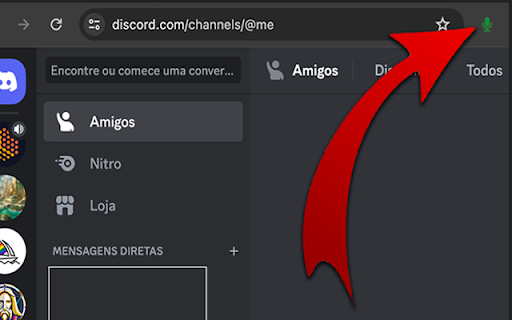
Shortcuts for full control over an audio channel in Discord and quick access button next to the address bar.
Enables you to activate, deactivate and toggle the microphone.
Enables you to activate, deactivate and toggle the sound.
Disconnect from an audio channel.
Attention: After installation, you need to reload the Discord page for it to work properly.
Unfortunately it is only possible to enable 4 global shortcuts, but the others can be used within the browser.
To configure the shortcuts do the following:
1. In your Chrome browser.
2. Click on the three-dot menu in the top-right corner of your Chrome window.
3. Go to "More tools” -> "Extensions."
4. In the Extensions page, look for a menu or hamburger icon (three lines) on the top-left and click on it.
5. Now select "Keyboard shortcuts."
6. Find the extension “DiscordMic"
7. Click in the field where it says "Activate the extension" or a similar command.
8. Press the keys for your desired shortcut (like Ctrl+Shift+Y).
9. Make sure the "In Chrome" dropdown is selected if you want it to work globally (across all of Chrome).
10. Click 'Save' or just close the tab, and your global shortcut should now be set!
Pull requests are welcome: https://github.com/christianoguedes/DiscordMute
This extension is not a Discord partner, so any update may stop working.
Discord is a registered trademark of Discord Inc.