FetchV - Video Downloader for m3u8 & hls
by idxF4.9
5,560 reviews
400.0K
users
Published
September 24, 2025
Screenshots


Description
Features:
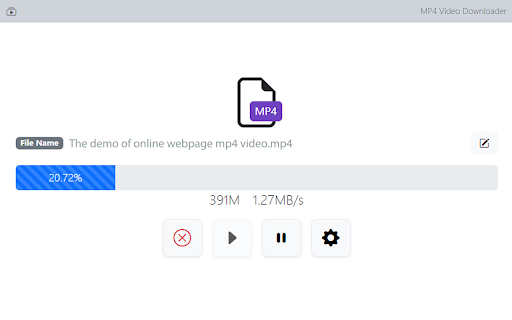
1. Supports HLS video (streaming video indexed by m3u8 file), integrating all media fragments into a single MP4 file.
2. Supports HLS live streaming.
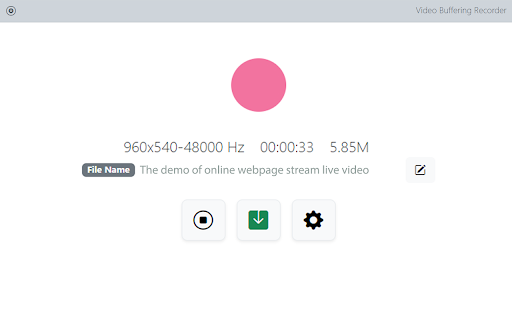
3. Supports videos or live streams with a 'blob' prefix in the player's src address. For such media, when the actual media address cannot be detected, the "recording mode" can be used to convert the buffered data into an MP4 file.
4. Supports various static videos or audios that can be played on web pages, such as MP4, WEBM, etc.
5. Supports streaming MP4 (HLS v7, may add support for "MPEG-DASH" in the future).
6. Uses multi-thread downloading, which can significantly increase the download speed in good network conditions, very useful for downloading large files.
7. Supports switching resolutions, available when the HLS video's m3u8 file provides multiple resolutions.
8. Provides media preview, if multiple media are captured on a page, you can confirm your target through the preview.
9. Provides a feature-rich download interface, where you can know the download speed, progress, and perform operations like switching download threads, switching resolutions, and modifying file names.
10. All the work of this tool is done in your browser, without using any third-party servers to transmit or convert media data.
Notes:
1. This tool is only applicable to videos that comply with technical standards, and it does not work for videos using non-standard playback technologies. It does not have special adaptations for specific websites.
2. It does not support encrypted videos, and we are not responsible for any media you download. It is recommended to check the copyright of the media before downloading.
3. Although this tool has been adapted to popular web videos, it cannot guarantee absolute success in the adapted scope. If it doesn't work for you, please try other tools as an alternative.
Add to Chrome
Quick Info
- Version
- 3.2
- Size
- 473KiB
- Price
- Free
- Type
- Extension
Categories
Languages
DeutschEnglishEnglish (Australia)English (United Kingdom)English (United States)FilipinoIndonesiaMelayuNederlandsTiếng ViệtTürkçedanskeestiespañolespañol (Latinoamérica)françaisitalianomagyarnorskpolskiportuguês (Brasil)português (Portugal)românăslovenčinasuomisvenskačeštinaΕλληνικάбългарскирусскийहिन्दीไทย中文(中国)中文(台灣)日本語한국어