Google Meet Comment Flow
by kazizi5.0
1 reviews
192
users
Published
July 17, 2023
Screenshots


Description
*English Below
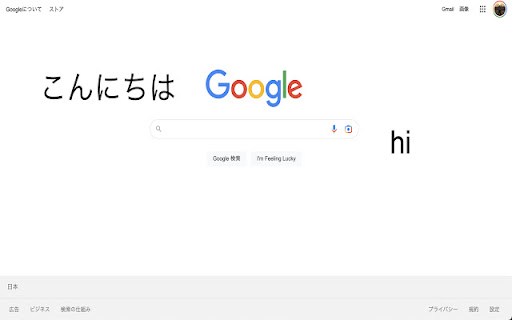
Google Meetのコメントを画面上に流すことができる拡張機能です。
Google Meetでコメント欄を開いておくと、フォーカスしているタブでコメントが流れます。
Google Slideでのプレゼンテーションにも対応しております。
設定用ポップアップで以下の変更ができます。
・コメントの文字の大きさ(デフォルトはM)
・コメントの色(デフォルトは黒)
・コメントが流れるかどうか(デフォルトでは流れないようになっております)
ソースコードは以下で公開しております
https://github.com/kazizi55/google-meet-comment-flow
v1.0.0 初期リリース
v1.0.1 文字が流れないバグを修正
v1.0.2 コメントの投稿タイミングが重なっても流れるように & パフォーマンス向上
This is the Chrome Extension, which enables Google Meet comments to flow on the screen.
If you open the comment field in Google Meet, the posted comments will flow on the currently focused tab.
This extension is also available on the presentation with Google Slide.
You change the settings below in popup:
- font size of comments(default: M)
- color of comments(default: black)
- whether comments flow or not(default: not flow)
Here is the source code of this extension:
https://github.com/kazizi55/google-meet-comment-flow
v1.0.0 initial release
v1.0.1 bug fix(comments don't flow)
v1.0.2 bug fix(comments posted at the same time don't flow) & performance improvement