
YouTube Time Labels
by Brian Lin Software4.8
14 reviews
1.0K
users
Published
March 30, 2024
Screenshots


Description
Take notes on YouTube easily with YouTube Time Labels.
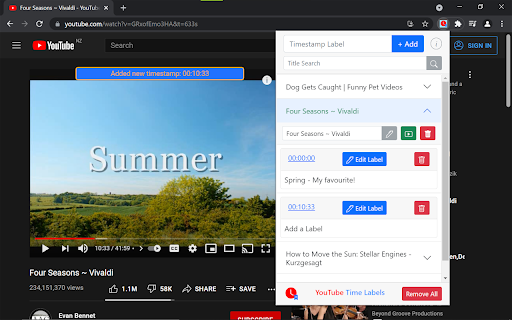
Add labels to different times of a video, and skip a video to that time by simply clicking the recorded timestamp on the extension.
Very helpful for long videos where you want to save particular sections (e.g. lecture material, a song from a compilation), or to simply keep track of your favorite videos.
Hotkey to add a timestamp:
Windows: CTRL+SHIFT+Q
MacOS: ⌘+⇧+E
For easy access to the extension, make sure to pin the extension.
Major Features:
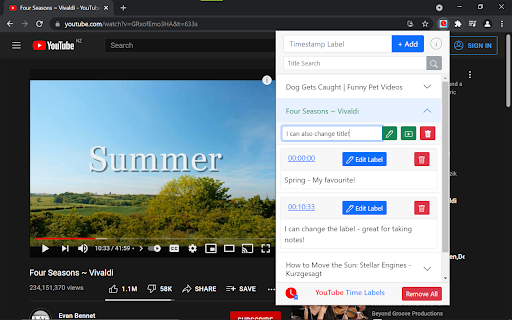
- Add and remove videos to the extension, and give videos a custom name.
- Record and delete video timestamps to the extension
- Add custom labels / notes to timestamps.
- Open a video at a particular timestamp from the extension.
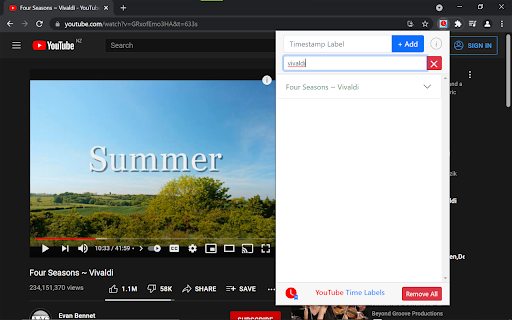
- Filter videos by title or timestamp label
- Export / Import data of your saved videos and timestamps.
This is a personal project I made for fun and learning. If you are interested in the source code, please visit the GitHub page: https://github.com/brianlinUM/youtube-timestamps
All YouTube browsing data (e.g. saved videos and timestamps) are handled by this extension solely for the functioning of this extension - it can not save notes about timestamps without saving the timestamp after all. This data is only stored locally on your device, and never transmitted elsewhere; I do not collect your data.