
XCoach
by baogorek41
users
Published
June 12, 2024
Screenshots

Description
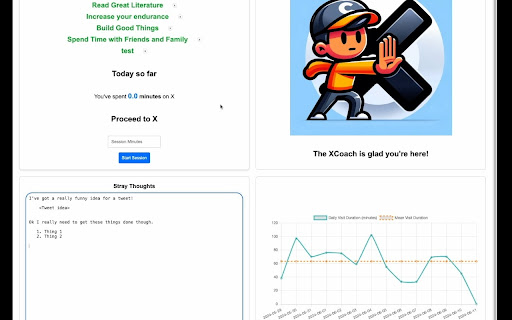
Spending too much time on X at work or school? XCoach is a free Chrome Extension that helps you manage your time on X while on your laptop or desktop computer. It gives you the ability to create timed X sessions, has a snooze functionality, and allows you to write notes on the intervention page.
The intervention page offers:
* A reminder of your priorities,
* Insight into how long you've spent on X today and historically,
* The ability to start timed X sessions, and,
* A snooze feature for when you need a bit more time,
* A text notepad for you to write your thoughts.
The data XCoach stores is yours and yours alone; it uses the Chrome sync storage which is data synced to your account (privacy policy located at https://mailchi.mp/4f4a32bb4dd9/xcoach). The only way to send me information is by filling out one of the Mailchimp forms linked in the footer, or emailing me (Ben) at [email protected].
XCoach uses a "content script" to show a warning bar on X two minutes prior to closing, and to allow for a one minute snooze functionality. It is a very unintrusive addition to the X page that can be easily dismissed.
The XCoach code is open source! https://github.com/baogorek/XCoach