Claude AI Prompt Manager
by dogukandogru5.0
2 reviews
339
users
Published
September 13, 2024
Screenshots
Description
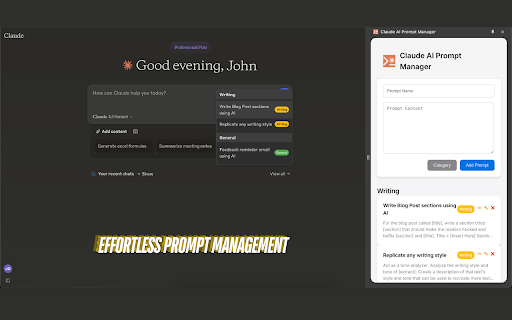
Claude AI Prompt Manager allows users to create, organize, and quickly access custom prompts within the Claude AI interface.
It supports prompt and category management, a responsive sidepanel, local storage, and cross-browser compatibility, making your Claude AI experience more efficient and organized.
How to Use Claude AI Prompt Manager:
Create Prompts:
- Open the extension by clicking the Claude AI Prompt Manager icon in the Claude AI interface.
- Add a new prompt by entering a title, content, and selecting a category.
- Save the prompt for quick access later.
Access Prompts:
- Click the blue plus (+) icon/button in the prompt area.
- Browse through your saved prompts.
- Select a prompt and insert it directly into the Claude AI chat input.
Coming Soon:
- Personalize the extension with your own categories and color schemes.
- Save and run a series of prompts as a prompt chain, executing them one by one with a single click.