Kanji Search
by Ayman Eltemmsahy5.0
2 reviews
206
users
Published
May 31, 2022
Screenshots

Description
This extension helps Japanese learners (especially Kanji).
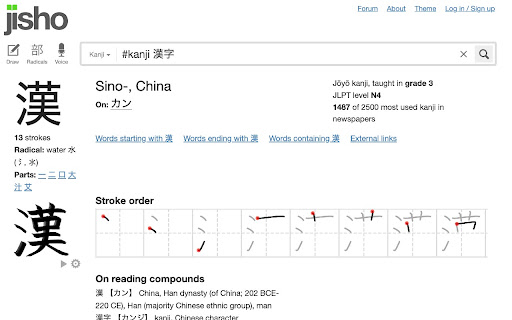
If you see a kanji character that you don't recognise, select it, then right click, then you'll see a "Kanji Search" item in the content menu. Clicking this item, will take you to https://jisho.org/ where you can see the meanings of the words, the stroke order and a lot more.
The extension adds a hot key as well (Ctrl+Shift+K or Cmd+Shift+K) which selects any selected text and does the same.