
Kdenlive video editor
by RunApps3.0
2 reviews
1.0K
users
Published
March 4, 2024
Screenshots


Description
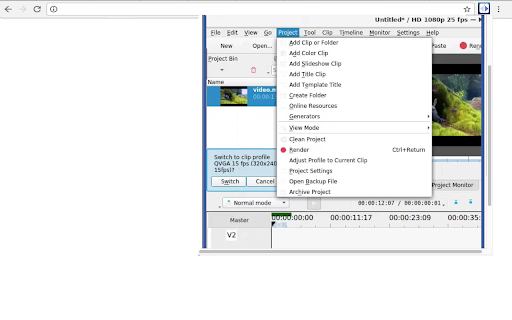
This extension allows users to use the Kdenlive video editor. Kdenlive is a program designed to answer most needs, from basic video editing to professional work. Its features are:
• Multi-track video editing as Kdenlive allows you to use and arrange several audio and video tracks, each one can be locked or muted to your convenience.
• Use any audio / video format because this application uses the well known FFmpeg libraries so Kdenlive can use almost any audio and video formats without the need to convert or re-encode the videos and clips.
• Create 2D titles including:
o Align and Distribute
o Letter-spacing and Line-spacing adjustment
o System font selector including font-family support
o Design features: Color, Shadows, Outlines and Gradients
o Embedded Crawl and Roll tool for text animation
o Unicode decoder
o Rotate and Zoom
o Add images
o Template support
• A lot of effects and transitions for your videos, ranging from color correction to audio adjustments, as well as all the standard transform options.
• Multiple audio and video scopes to make sure your footage is correctly balanced.
o Audio Meter
o Histogram
o Waveform
o Vectorscope
o RGB Parade
• Timeline preview that allows you to pre-render parts of your timeline to get a perfectly smooth playback.
This extension also includes access to a file manager to upload and download the videos created.
This extension is the Kdenlive online distribution so it is compliance with the Kdenlive GPL.
Add to Chrome
Quick Info
- Version
- 1.1.5
- Size
- 153KiB
- Price
- Free
- Type
- Extension
Categories
Languages
DeutschEnglishNederlandsTürkçeespañolespañol (Latinoamérica)françaisitalianopolskiportuguês (Brasil)português (Portugal)русскийукраїнськаالعربيةहिन्दी中文(中国)日本語한국어