
Gmail Sender Icons by Simbolic
by Greg Bradley25
users
Published
June 22, 2022
Screenshots
Description
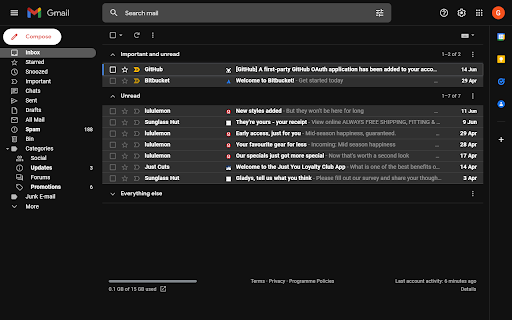
Quickly identify the sender of email messages in Gmail without opening the message.
Gmail Sender Icons is a Google Chrome extension that makes it easy for you to quickly and visually identify email senders in Gmail. It shows the official logo (favicon) of the sender's organization alongside the email message.
For instance, if you receive an email from [email protected], the Gmail extension will add a logo of the Google website next to the message so you can immediately identify the sender in the email list.
The Gmail Chrome extension uses the Google S2 service for generating the website's favicon while the Gmail messages are parsed with the Inbox SDK framework. All processing is done locally in your browser and no Gmail data is ever shared or uploaded anywhere.
The add-on is open source and the code is available on Github. Based on the Gmail Sender Icons extension by Amit Agarwal with additional support for all TLDs. Source code is available at https://github.com/gregbradley/gmail-icons