

No Swipe - Disable Swipe
by Suricata software4.5
19 reviews
2.0K
users
Published
January 30, 2025
Screenshots
Description
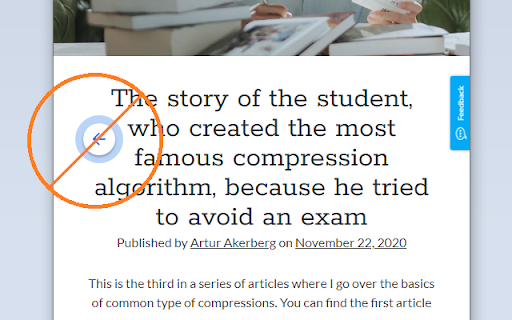
Prevent browsers' back & forward gestures.
Stops horizontal scrolling from triggering page navigation.
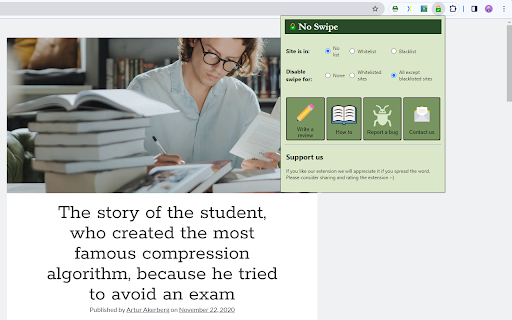
You can select which sites will have the swipe gestures disabled using the extension popup (by default the swipe gesture is disabled in all sites).
Follow these steps to disable touchpad navigation:
1) Pin extensions to the toolbar.
2) Press the extension icon.
3) Select mode of operation.
4) Set the site to a list.
If you are unable to stop navigation by trackpad, please use the "contact us" button in the pop-up to let us know.
#Limitations:
-All extensions can work on web sites ONLY - The extension will NOT work on the new tab page or -PDF files.
-All extensions can't work on the Chrome web store.
-The extension kicks in a few moments after the page loads.
The purpose of this extension is to give you the option to selectively disable gesture navigation.
If you're simply looking to disable swipe navigation on all sites, you can do this in the Chrome settings under the Accessibility tab.
The use of a whitelist and blacklist requires a paid subscription after the 14-day trial. The rest of the features are free.
Add to Chrome
Quick Info
- Version
- 1.0.0
- Size
- 93.09KiB
- Price
- Free
- Type
- Extension
Categories
Languages
DeutschEnglishEnglish (Australia)English (United Kingdom)English (United States)FilipinoIndonesiaKiswahiliMelayuNederlandsTiếng ViệtTürkçecatalàdanskeestiespañolespañol (Latinoamérica)françaishrvatskiitalianolatviešulietuviųmagyarnorskpolskiportuguês (Brasil)português (Portugal)românăslovenčinaslovenščinasuomisvenskačeštinaΕλληνικάбългарскирусскийсрпскиукраїнськаעבריתالعربيةفارسیमराठीहिन्दीবাংলাગુજરાતીதமிழ்తెలుగుಕನ್ನಡമലയാളംไทยአማርኛ中文(中国)中文(台灣)日本語한국어


