
MeetRemote
by Marcelo Rossi4.8
12 reviews
3.0K
users
Published
January 23, 2025
Screenshots


Description
MeetRemote - Effortless Control for Google Meet
**Updated January 2025!**
# Key Features
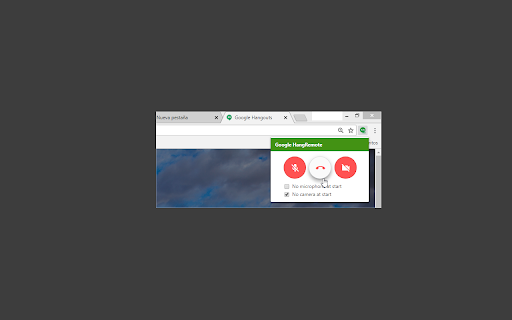
Take control of your Google Meet video calls with ease:
• 🔇 Mute/Unmute Microphone
• 🎥 Enable/Disable Camera
• 🚪 Leave Video Calls Instantly (closes the tab).
• ⚙️ Default Mic/Cam Settings: Start every call with your mic or cam off automatically.
• ⌨️ Customizable Shortcuts for effortless toggling.
# Why Use MeetRemote?
•• Stay in Control ••: Avoid surprises by ensuring your mic and camera start in your preferred state every time.
•• Quick Access ••: Control your mic and camera directly from the extension icon—no need to search for the Meet tab.
•• Keyboard Shortcuts for Speed ••:
• Windows:
• Alt+Shift+V - Toggle Webcam (mnemonic is “A is for Audio”)
• Alt+Shift+A - Toggle Microphone (mnemonic is “V is for Video”)
• Alt+Shift+Q - Quit Meeting (mnemonic is “Q is for Quit)
• Mac:
• Option+Shift+V - Toggle Webcam
• Option+Shift+A - Toggle Microphone
• Option+Shift+Q - Quit Meeting
** Open Source & Community Driven **
Contribute or explore the code here: GitHub - MeetRemote [https://github.com/cheluskis/hangremote]
## Notes
• Currently supports only one Google Meet session at a time.
# Latest Update
*January 2025*
• Optimized compatibility for the latest version of Google Meet.
• More stability and shortcuts redefined for a smoother experience.
## Changelog:
• 1.1.1: Improve stability
• 1.1.0: Streamlined focus exclusively on Google Meet.
• 1.0.3 Fixed support for Google Meet
• 1.0.2: Added Google Meet support.
• 1.0.0: Initial release for Hangouts.
Add to Chrome
Quick Info
- Version
- 1.1.1
- Size
- 19.79KiB
- Price
- Free
- Type
- Extension
Categories
Languages
English (United States)