Enable Copy Paste & Right Click
by Webvoom4.0
22 reviews
10.0K
users
Published
February 25, 2022
Screenshots


Description
Enable Copy Paste & Right Click on websites that have disabled copy paste & Right Click.
How to use this Extension:
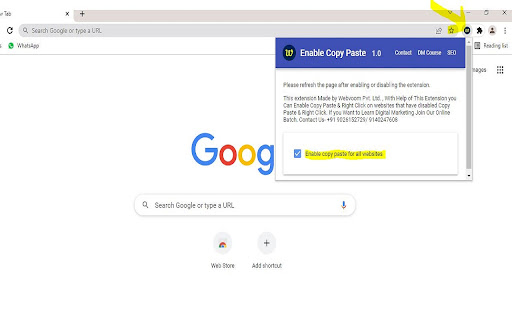
- Click on the extension icon
- Pin Icon For Easy Use
- After a popup is opened, use the “Enable copy paste for all websites” checkbox.
- Refresh the page and see if the extension has successfully enabled copy paste & Right Click functionality on the website.
Step for Disable Extension-
- Click on the extension icon.
- After a popup is opened, UNTICK checkbox “Enable copy paste for all websites”.
This Extension Made for Enable Copy Paste and Right Click from Disabled Copy Paste & Right Click Website.
For any Doubt & More Digital Marketing Tricks Visit Our YouTube Channel - webvoom . Where We Explains How to Use Our Extension and Many More Interesting Tricks
I hope you like it, and please review it if you're happy with it!