
Saved Post - Bookmark and Save Button for LinkedIn
by Jonny Chan4.0
1 reviews
160
users
Published
November 6, 2024
Screenshots

Description
Save LinkedIn Posts with Ease - The Ultimate Chrome Extension
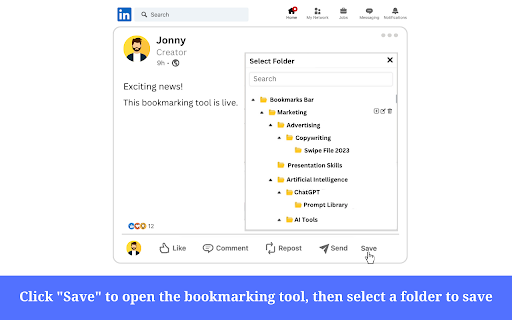
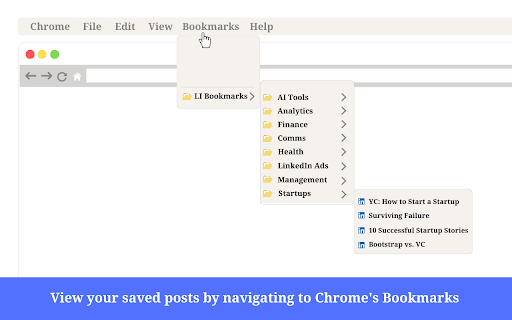
Our Chrome extension allows you to effortlessly save any LinkedIn posts directly to your Chrome Browser's Bookmarks
Tired of the frustration that comes with using LinkedIn's native save feature? Do you find it difficult to locate your saved posts? With our Chrome extension, you can easily save posts in categories for quick and easy access.
Say goodbye to the inconvenience and confusion of saving LinkedIn posts. With just a few clicks, our Chrome extension will let you organize your bookmarks and save posts in customizable categories.
Not only is our extension convenient, but it's also secure. Your data will be stored locally on your computer, ensuring your privacy. Our lightweight UI is designed to help you focus and minimize distractions while you work.
Features include the ability
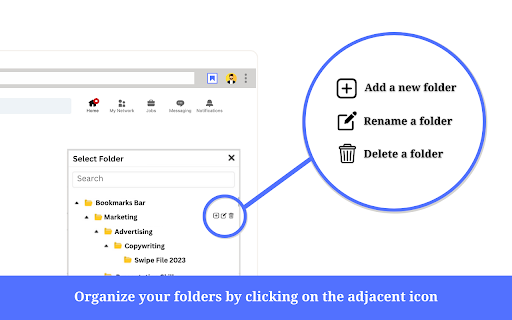
- To add, remove, and rename folders
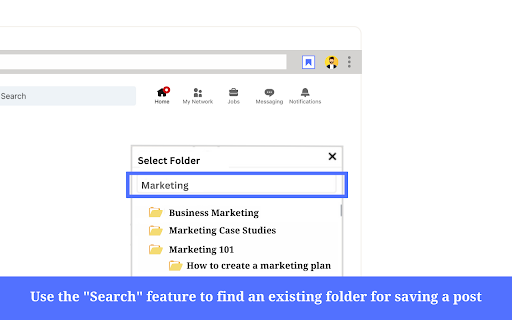
- Search for existing folders
- Add customized titles to saved posts
- Collapse and expand folders
- Dark mode support
Add to Chrome
Quick Info
- Version
- 2.0.1
- Size
- 58.92KiB
- Price
- Free
- Type
- Extension
Categories
Languages
English (United States)