
Pivotal Tracker Styler
by Farzan Yaz5.0
7 reviews
42
users
Published
June 6, 2024
Screenshots

Description
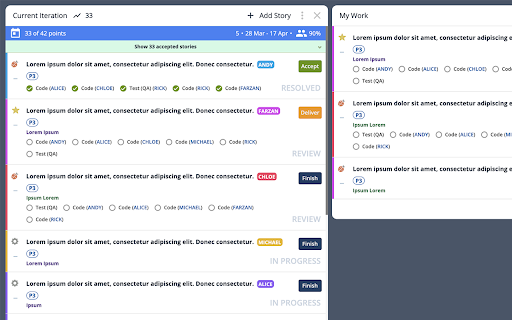
Pivotal Tracker Styler is a user-friendly Chrome extension designed to transform the appearance of Pivotal Tracker, making it more visually appealing and enjoyable to use. Recognizing that a well-designed dashboard can positively impact productivity and overall user experience, this extension offers an array of customizable features that allow users to tailor the look of their Pivotal Tracker projects (and workspaces).
Key features include:
- Enhanced background and text colors for better text readability
- Color-coded ticket-owner labels for easy identification
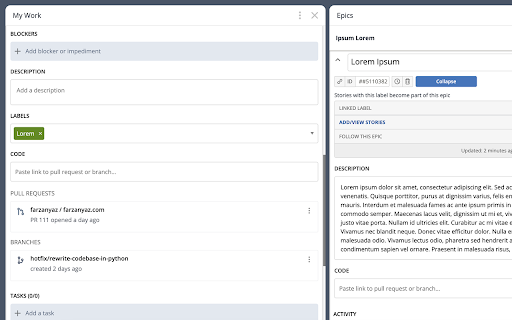
- Expanded ticket details and comments section
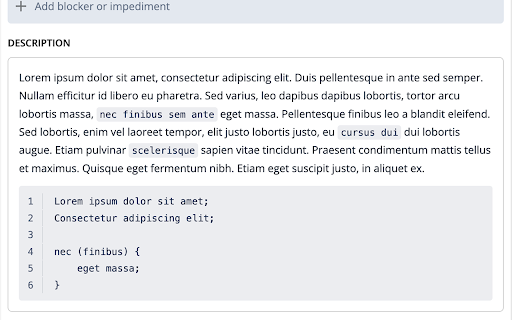
- Better inline code and code block styling with line numbers
- Streamlined ticket actions for efficiency
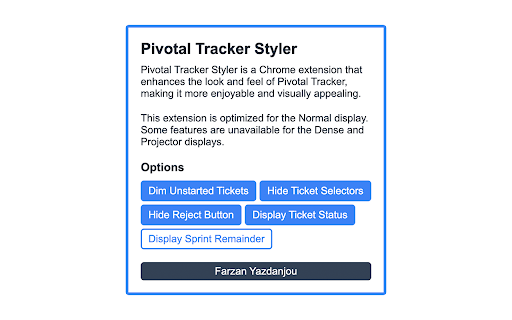
- Optional SCRUM ticket status displayed as gray text (excluding unstarted tickets)
- Optional removal of REJECT button from ticket preview - still available in the expanded view
- Optional removal of ticket selector button for a cleaner interface (re-activatable during ticket organization)
- Optional feature to gray out unstarted tickets, promoting the completion of in-progress tasks
- Optional feature to discretely display how many days remain until the end of each sprint
By installing Pivotal Tracker Styler, users can elevate their project management experience and increase their efficiency while working with Pivotal Tracker. Say goodbye to the monotonous interface and embrace a visually appealing, customized environment that boosts your spirits and improves your workflow.