
Lightshot (screenshot tool)
by Skillbrains4.4
7,001 reviews
2.0M
users
Published
July 23, 2024
Screenshots

Description
Lightshot is the fastest way to take a customizable screenshot. Simple interface, nothing useless and light weight.
Features:
* take screenshot and share it in few clicks
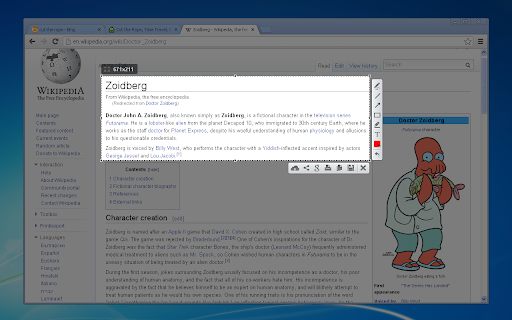
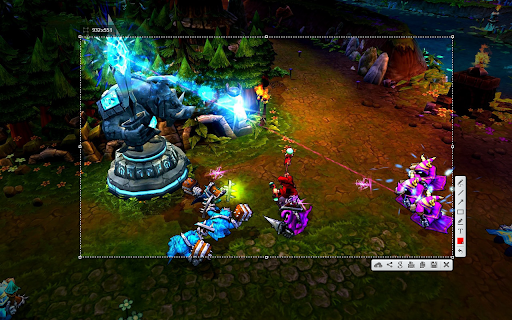
* select any part of the page
* edit screenshot in place
* save on a disk or upload to the cloud
* search for similar screenshots
* copy screenshot in clipboard
More information here: http://app.prntscr.com/
Privacy policy: https://app.prntscr.com/en/privacy.html?privacy
Clarification of the extension permissions:
* Read your browsing history - Chrome adds this line when we request tabs manipulation permission. Lightshot opens screenshot in a new tab, that is why we need it.
* Display notifications - Lightshot displays notification every time you upload screenshot
* Modify data you copy and paste - Lightshot allows you to copy screenshot into your Clipboard
* Manage your downloads - Lightshot allows you to save screenshot as a new file (works using download functions)
Contact e-mail: [email protected] Send your requests and bug reports here. We appreciate your contribution!
Add to Chrome
Quick Info
- Version
- 7.0.1
- Size
- 685KiB
- Price
- Free
- Type
- Extension
Categories
Languages
DeutschEnglishIndonesiaNederlandsTiếng ViệtTürkçecatalàdanskeestiespañolfrançaishrvatskiitalianolatviešulietuviųmagyarnorskpolskiportuguês (Brasil)português (Portugal)românăslovenčinaslovenščinasuomisvenskačeštinaΕλληνικάбългарскирусскийсрпскиукраїнськаעבריתالعربيةفارسیবাংলাไทย中文(中国)中文(台灣)日本語한국어