Other extensions from this developer
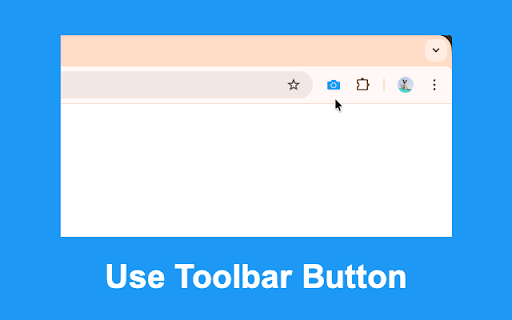
Quickly generate QR codes for web pages, links, images and selected text. Download and copy the generated QR codes. Use toolbar button, keyboard command (Alt + Q) and the context menu options. Works offline. Read more on homepage: https://browsernative.com/quick-qr-code/
Manage following settings to enhance privacy: * Block JavaScript, Third-party Cookies, Notification prompts * Disable referer headers, Client-Hints HTTP Headers * Turn on Do Not Track * Block Access to Camera, Location, Microphone * Turn off network prediction * Turn off Ping, Beacon and CSP...
Quickly create new documents and other cool things. Create new Google Docs, Google Sheets, Microsoft Word document, GitHub Gist and many more. Visit https://browsernative.com/quick-create-google-docs/ for more information. Created by BrowserNative. Not Affiliated with Google.
It adds many popular search engines to the context menu appearing on text selection. Users can also add their custom search engines.
You can use this extension in two ways: 1. Select any text and right click on it. Now, use the option in the appeared context menu. 2.Type i in the address bar of Chrome and hit the space bar. Now, type your search query. Visit for more information:...
Click on extension's icon on the toolbar to activate or deactivate it. When activated, this extension loads only HTML content, inline styles, and inline images (SVG or Data URLs etc). It blocks other content types like JavaScript, images, videos, web fonts etc. By blocking these resources,...
Analyze performance, technical issues, SEO rankings and more of web pages. Visit homepage for more information: https://browsernative.com/sitetools/
Use extension's toolbar button or the keyboard shortcut (Shift + g) while searching on DuckDuckGo. It would load the Google search result page for the same query. Visit homepage for more: https://browsernative.com/duckduckgo-to-google-search/ Extension by BrowserNative. Not created by or...
Other extensions published on the same day
L'estensione Chrome di Zecento ti aiuta a fare scelte consapevoli su Amazon perchè, analizzando i dati storici, ti dice se comprare ora o aspettare. Inoltre, ti manda una notifica sia su email che su WhatsApp appena il prezzo scende. Ti vengono forniti tutti i dati per fare una scelta...
Extension works like If there is a lack of attendance, it will be highlighted and displayed how many classes must be taken to make up for the lack of attendance. Features • Subject Shortage will be highlighted. • Reflects how many classes a student needs to attend. • Average percentage setup...
Materio's Selection Clipper saves time by grabbing prices, descriptions, and images off of vendor sites for you. Instantly save the products to your design library to use in your Materio projects. What’s New in V2 We’ve made several improvements in this new version based on your feedback and...
This addon has been developed to 1. Help PGT-CS of Kendriya Vidyalayas in the process of fee verification. 2. Help in Updating Class/ Category wise Enrolment (on website) in one click You can disable or enable this extension by pinning the extension and clicking the icon After Installing...
功能简介: 1、自动批量私信达人文字、商品卡,每天触达上万达人。 2、可设置定时私信任务,系统会在预设的时间点自动执行私信,商家可以确保信息在达人所在时区的活跃时间段内被接收。 3、批量私信订单买家,提高店铺评分。卖家真实反馈:订单取消率降低40%,好评率提高30%,新品曝光提高300%,店铺复购提高30%。 4、可选择是否跳过已联系的达人,避免重复联系相同达人 5、可自定义达人黑名单,会自动跳过黑名单的达人,从而避免与不良联盟伙伴合作。 6、可指定达人发送,支持导入达人excel表或者输入达人ID后对指定达人发送私信内容。 7、支持跨境店铺及本土店铺,覆盖台湾、新加坡、马来西亚、泰国、...
Easy to install, it adds a button to the Chrome toolbar which can be used when a publisher visits a Kwanko advertiser website. The very first feature available through this plugin is a ‘one click’ deeplink generator. HOW DOES IT WORK If you have joined the advertisers program via the Kwanko...
🔍 The Rendering Difference Engine highlights discrepancies between response HTML and rendered HTML. No more searching for the needle in your haystack. → Findings are grouped and reported based on elements that impact how search engines crawl, understand, and index the URL. → An intuitive,...
Kadoa makes it easy to scrape data from websites without any coding. Just click on what you need and Kadoa's AI web scraper will get the data for you. --- How to use: - Navigate to the webpage with data to extract - Open the extension - Select the data - Review and refine suggested schema -...