spotlight
5.0
4 reviews
214
users
Published
March 19, 2022
Screenshots

Description
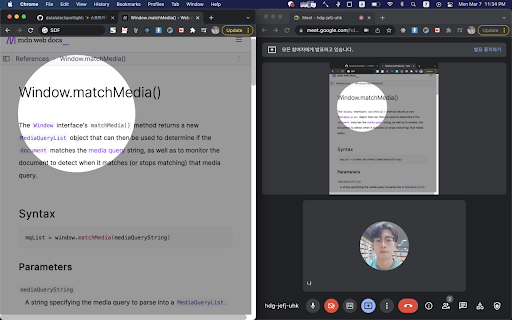
✨Highlight your mouse pointer while sharing your screen! 🔦
How to use:
1. Click toolbar icon.
2. Press `shift` key. Mouse wheel to change circle size.
3. Toggle off to disable spotlight.
4. Mouse over toggle button and click cancel button to close.
스포트라이트 사용방법:
1. 준비: 툴바 아이콘에서 스포트라이트 클릭
2. 실행: shift 키 + 마우스 휠
3. 비활성화: 토글 버튼 클릭