MiTERAS KINTAI Helper
by tomarin62
users
Published
November 12, 2023
Screenshots
Description
Initial configuration
1. Open the add-on options and configure the break time.
How to use
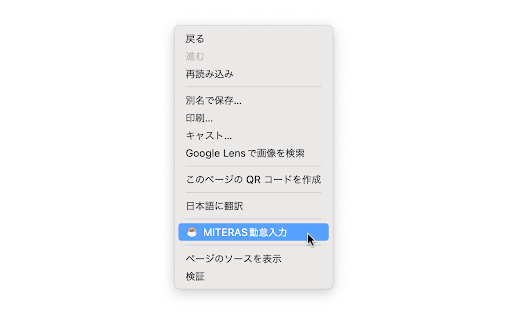
1. Show the context menu (normally right click) on the break time input page of MiTERAS KINTAI.
2. Select "MiTERAS KINTAI Helper" from the context menu.
3. The break times will be entered automatically.