Applitools Centra Screenshot Capture
by Applitools5.0
2 reviews
101
users
Published
February 9, 2023
Screenshots


Description
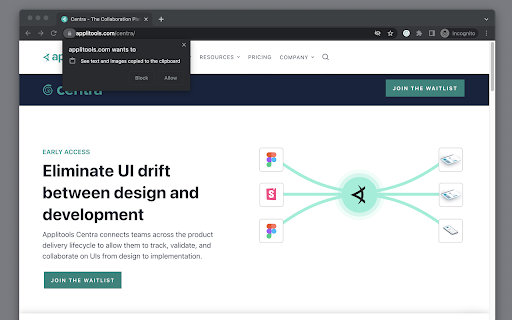
Applitools Centra enables you to capture full-page and viewport screenshots of your website or web application and upload it to Applitools Centra for easy comparison and validation against your designs or components.
Once uploaded to Centra, stakeholders can collaborate on differences that may arise between design and implementation. Enabling you to easily collaborate, validate, and track an app's development in your team.
Collaborate -- Easily communicate with different stakeholders across the product delivery lifecycle.
Validate -- Verify that your designs are implemented correctly and that your brand is kept intact.
Track -- View the history of your UI over time as changes are made.
Screenshot capture options:
Located in the context menu by right-clicking on the webpage. Available options include...
- [Default] Full-page screenshot (Captures the entire page).
- Viewport screenshot (Captures the viewable area on the page).
- [Default] Stitch with CSS (Captures screenshot using CSS transition and removes duplication of fixed position elements. i.e sticky headers/footers).
- Stitch with scroll (Captures screenshot using standard Javascript scrolling).
Known limitations:
Saving an image to the system clipboard only works on HTTPS or local HTTP sites.
Users need to allow the extension to copy images to clipboard per domain they use it on.