Fire Dashboard
by Deep Patel4.0
5 reviews
154
users
Published
February 19, 2022
Screenshots



Description
Fire dashboard is your all-in-one productivity tool with multiple workspace support.
Replace the new tab page with a personal dashboard featuring a home page with beautiful background and greetings and bookmark management.
Fire Dashboard have a bookmark management app that is better than bookmarks. Organize your browser tabs and access them quickly anywhere.
Fire Dashboard's Bookmark management app is better than bookmarks. It levels up your browser. It is a visual workspace that lives on every new tab. Add new tabs by dragging and dropping your browser tabs into collections or save a whole session in just one click.
🌟 🌟 🌟 Key Features 🌟 🌟 🌟
🔥 Organised your personal and work-related stuff with multi workspace support
🔥 New tab background each day from unsplash
🔥 Clock in home page with greetings
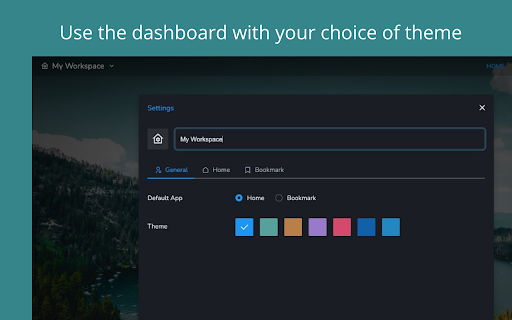
🔥 Theme support
🔥 Bookmark management that better than browser bookmarks
🔥 Save your sessions in collections to save your tabs
🔥 Sync your data with Firebase App.
Note: For the best experience, after installing Fire Dashboard click the ‘Keep it’ button on the ‘Change back to Google’ notification. This will show Fire Dashboard on each new tab as intended.
Genuinely enjoy the fire dashboard experience? Support the developer by giving a great review!