
Focus Block
by simsonchiu4.8
4 reviews
227
users
Published
October 14, 2021
Screenshots

Description
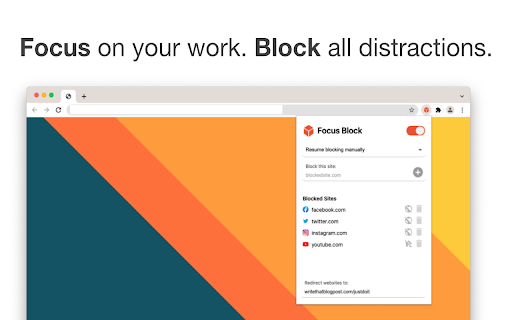
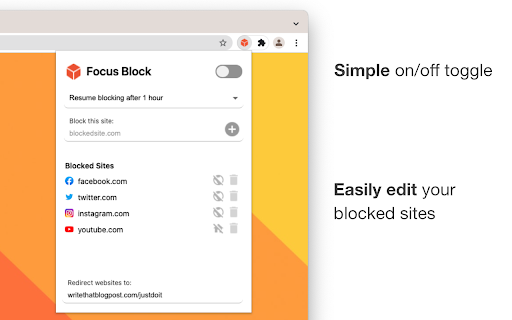
🧘🧊 Focus Block lets you focus on your most important tasks by blocking websites without getting in the way of your work.
---------------------------------------------------
🙋 WHAT ARE THE FEATURES OF FOCUS BLOCK?
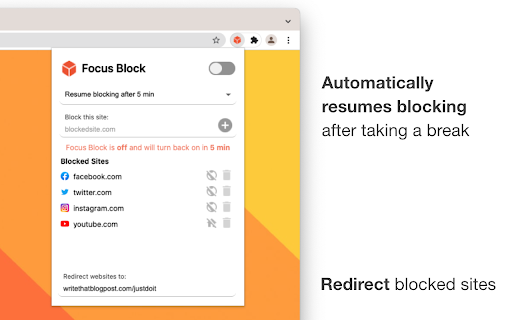
🔁 Redirect Blocked Websites - Redirect your blocked sites to any website you choose, like to that google doc you're working on or that online course you've signed up for.
⏳ Automatically Resume Blocking After Taking a Break - Tell Focus Block to automatically resume blocking after a certain time period so you can get back to focusing after taking a break.
🏠 Block the Homepage Only - You can block just the homepage instead of the entire domain. This allows you to watch that Youtube video for work or write that social media post without being distracted by the homepage.
---------------------------------------------------
🙋 IS MY DATA KEPT SAFE?
🔒 Focus Block is designed to protect your privacy.
Focus Block only uses the current URL in the address bar so it know when to block a website and the last time it was turned off so it knows when to resume blocking again. All of this data lives in your chrome account and is never transferred outside.
Note: You may be asked to share browsing history upon installation but this permission is only used for checking the current URL.
📵 No browsing history is stored anywhere.
📵 No website data is stored anywhere.
---------------------------------------------------
FOCUS on your work. BLOCK all distractions.
Happy focusing!