Print Selection to PDF
by MeryDev1.8
14 reviews
6.0K
users
Published
August 29, 2025
Screenshots
Description
Print Selection to PDF is an extension that helps you print a selection of words or sentences to a PDF document.
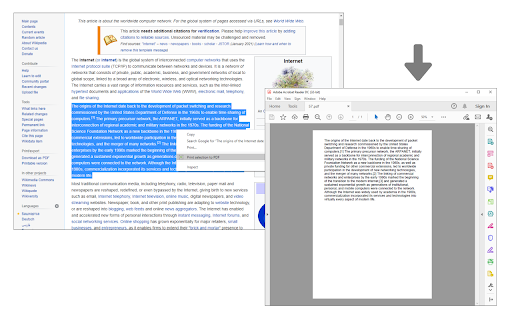
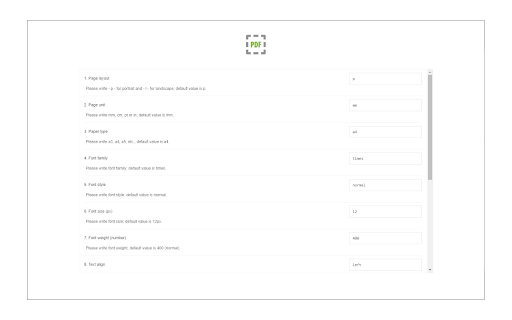
To work with this addon, simply select a word or sentence with your mouse, right-click on the selection, and then click on - Print Selection to PDF item. The selection (only the text content) will be downloaded as a PDF document to your machine in the default download folder. If you want to change the download folder, please head to the settings page in your browser and change the download folder from there. There are also several settings to adjust for this addon which you can find on the options page. For example, you can adjust the page layout, unit, type, font family, size style, etc.
Note: This add-on uses the jsPDF library to print a document to PDF. jsPDF is a free and open-source client-side JavaScript PDF library; to get more information about this library please visit this (https://github.com/parallax/jsPDF) GitHub page.
To report bugs, please fill out the bug report form on the addon's homepage (https://mybrowseraddon.com/print-selection-to-pdf.html).