
qwiklinks
by Ruyi Li5.0
2 reviews
3
users
Published
April 22, 2023
Screenshots
Description
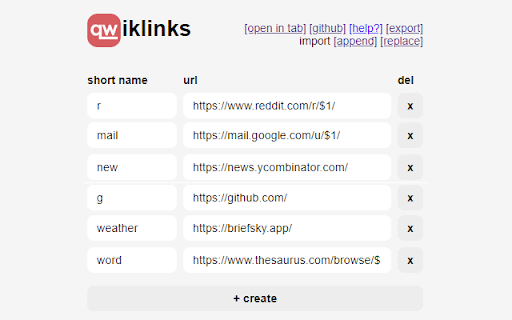
The qwiklinks extension allows you to access your links through the browser search bar. Simply type "qw <name>" and hit enter to load the corresponding URL. A list of suggestions matching what you currently have typed will appear as you type the name.
=== Why ===
qwiklinks was built as a way to help people get around in their browser faster. Instead of having to memorize URL prefixes or randomly typing in keywords until the search bar autocompletes the URL, you can simply associate the URL with a short and memorable name. In a sense, qwiklinks are similar to bookmarks, but don't require you to use your mouse, take up no screen space, and don't force you to sift through a sea of bookmarks to find the one you're looking for.
=== Arguments ===
You can specify arguments by inserting placeholders such as $1, $2, and $3 in your URL. To use these placeholders, simply type the arguments after the qwiklink name, separated by spaces; for instance, "qw mail 0" replaces all occurences of "$1" in the "mail" qwiklink URL with "0".
Add to Chrome
Quick Info
- Version
- 1.1
- Size
- 12.07KiB
- Price
- Free
- Type
- Extension
Categories
Languages
English (United States)