LinkedIn Message Preview
by Will Braun5.0
1 reviews
167
users
Published
September 16, 2024
Screenshots

Description
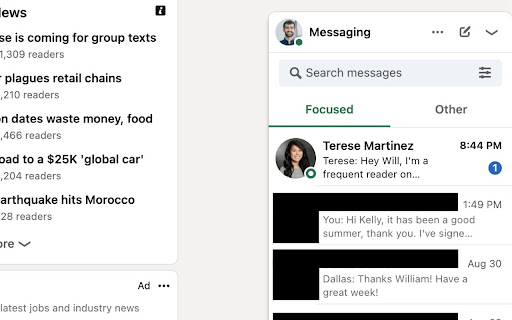
Have you ever received a new message on LinkedIn and wanted to read the whole thing, without marking it as "read" in the message thread? Now you can! 🎉
With this extension, just open the Messages tab on the bottom right of a LinkedIn page, then hover your mouse over each message box. The most recent message in the thread will appear to the left of the box.
Features
🔎 Hover over messages to read the most recent one
🌗 Works with Light Mode and Dark Mode
✨ Long messages adjust to fit on the page
✌️ View messages in the Focused and Other sections
🦕 Heads up
This extension can only read the text already loaded on the page for the preview that LinkedIn shows you. InMail or Sponsored messages within the Other section can sometimes have different formats, and the entire message may not appear when hovering. Hovering over Focused messages should show the entire most recent message.
🤔 Have a question? Want to report a bug or just brainstorm new features? Shoot me a message on LinkedIn!
https://www.linkedin.com/in/williamhbraun/