No AltTab Video
by ienablemuch.cws.dev14
users
Published
June 3, 2025
Screenshots
Description
Switching back and forth between your productivity tool (IDE, video editor, Photoshop etc) and YouTube (any video sites) disrupts your rhythm while following a tutorial video from YouTube
This extension helps you pause/play, and rewind/forward the tutorial video right in your productivity tool, so you don't have to switch the active window to the tutorial video to perform pause/play, rewind/forward
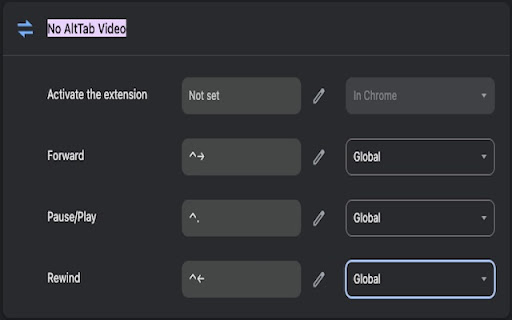
Default shortcut for macOS:
Pause/Play: Control+Period
Rewind: Control+Left
Forward: Control+Right
Default shortcut for Windows:
Pause/Play: Alt+Period
Rewind: Alt+Left
Forward: Alt+Right
To change the keyboard shortcut, click the No AltTab Video's toolbar icon. Alternatively, you can also change the keyboard shortcut by pasting this in Chrome's address bar:
chrome://extensions/shortcuts#:~:text=No%20AltTab%20Video
Don't forget to change the dropdown from Chrome to Global, otherwise the keyboard shortcuts won't work when the active window is not Chrome (e.g., your IDE, video editor, Photoshop etc)