Notifications Off Timer
by busy.sh14
users
Published
June 17, 2021
Screenshots

Description
This timer allows you to organize a distraction-free environment in a form of Do Not Disturb mode within the Chrome browser. It's especially useful when you are using web versions of messaging apps or sharing your screen.
📖 How does it work?
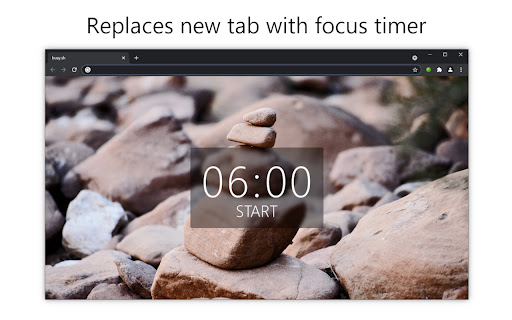
The timeout of the notifications snooze can be started from the new tab and duration of the timer is configured from extensions options. For the specified period of time, you will not be notified from any of the browser's tab. After timer expires, your settings will be back to the state as they were before.
🏷️ Features:
* Replaces a new tab with the remaining focus timer
* Can be used as time management tool for following Pomodoro, or other productivity and focusing techniques
* Configurable duration of timeout length in settings
* You'll be notified after timeout expiration
* Current status of the timer is reflected in the browser's toolbar
🤝 Required permissions description:
* Replace the page you see when opening new tab - new tab is replaced by the timer with start/stop button
* Display notifications - show notification on timer expiration
* Change your settings ... - is required for actual functionality as it switches off notifications during the timeout