.lazyPaste: Copy/Paste made easy
by Francisco Cavalcanti5.0
1 reviews
18
users
Published
July 30, 2022
Screenshots
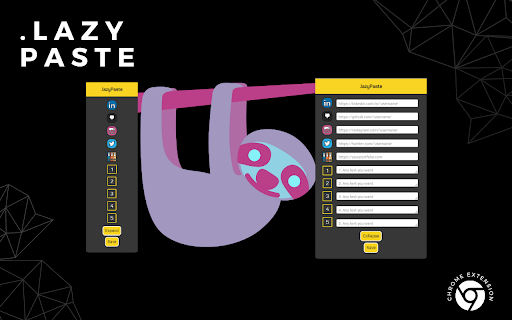


Description
A simple chrome extension to make copying & pasting your favorite links/texts an easy process for job applications.
1. To easily access it, just press "Alt + C" while in Chrome
2. Press EXPAND and fill out the desired fields
3. Press SAVE (you can then COLLAPSE if you wish)
4. Left Click on the icon or number relative to the input field you inserted your text - this will COPY that text to your CLIPBOARD
5. Ctrl + V to paste at the desired location
IMPORTANT
* After filling one of the fields with your desired text, you need to press SAVE in order to keep it stored. If you click outside of the pop-up before pressing SAVE you will lose the text.
* You can fill one field at a time and SAVE or fill them all and press SAVE at the end, it's up to you.
* Text is stored even after you shut down your PC as long as you're logged in a Google Account when saving and opening Chrome
* To remove stored text, clear the desired field and when it is empty, click SAVE
* You can temporarily resize fields 1 through 5 to look at what is stored for long texts
Add to Chrome
Quick Info
- Version
- 1.0
- Size
- 157KiB
- Price
- Free
- Type
- Extension
Categories
Languages
English (United States)