Other extensions published on the same day
Perseo is the most complete SEO extension for Google Chrome. It allows you to consult all the relevant SEO information of a page in a single click. The best companion for professional SEO consultants. Perseo allows you to consult the most important SEO information of the page you visit and...
This chrome extension is built for blocking porn sites and adult content. you can also blacklist any domain and web page manually. Our team's effort is, you stay away from porn sites. You can use this extension to prevent a porn site, if you are addicted to watching porn, this extension is for...
This extension offers a convenient solution for users who are tired of being prompted to log in every time they visit Geeks for Geeks. By removing the sign-in popup, it allows users to access the site's content without any interruption or inconvenience. With this extension, users can browse...
This extension allows you to view current live streams from multiple platforms! Link your Twitch account or enable GoodGame integration to receive information about current live streams and notifications when somebody goes live or changes category! Currently extension supports only Twitch and...
Remove some useless new features of Twitter! Get rid of the stats buttons, and more to come!
A theme for Google Chrome with a background image of fireworks. The theme is presented in black colors. The size is 1920x1080.
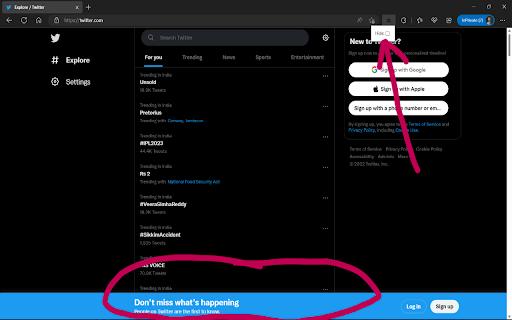
Annoyed by the new views counter on Twitter? This extension removes it.
This extension will let the developers get the local/session storage values of any domain (dev/staging/prod) and set those values into any other domain's local/session storage. For example, getting the local/session storage values from dev/staging urls and setting those values into the...
Extensions from categories: Just for Fun
This extension features some of the great Naruto background to make you feel good on your Chrome browser. Extension Features: 1. Shuffle Naruto wallpaper every time you open a new tab. 2. Randomize Naruto background or favorite it in wallpaper selection panel. 3. Search bar where result from...
This extension features some of the great Cute Dogs & Puppies background to make you feel good on your Chrome browser. Extension Features: 1. Shuffle Cute Dogs & Puppies wallpaper every time you open a new tab. 2. Randomize Cute Dogs & Puppies background or favorite it in wallpaper selection...
Please note this extension changes your new-tab page and changes your new-tab search engine. The search features within the extension will be provided by Microsoft Bing. This tool contains links to external websites that are not provided or maintained by or in any way affiliated with our...
If you consider yourself a space fanatic, this extension is made for you. The Cosmos extension sets different space themed backgrounds to your new tabs, as well as adding a clock, the current date, and several social widgets. Users can shuffle the backgrounds by clicking the button on the top...
Ever wanted your computer to understand and show you exactly what is the current state outside? With Day and Night extension your new tab extension will show you if you are currently searching during the day, or during the night. And it is changeable!! Experience top of the art css work in this...
Injects buttons into Konami's official database (https://www.db.yugioh-card.com/yugiohdb/?request_locale=en) deck editor that import and export decks from community sources like https://ygoprodeck.com. Download any public deck or share your own decks. Instructions for Master Duel import: 1....
Expand your vocabulary with this Chrome extension that features a new word and it's definition each day on your new tab. The extension also features a rotating photo background and a web search provided by Yahoo. Note: By installing this extension, the search bar on your new tab will be...
New browsing experience by using this BTS custom cursor chrome extension. BTS Cursor Extension Features: - Give you different BTS cursor design for you to replace default cursor. - Click on the task bar extension icon located at right hand top corner to open up BTS cursor setting box. -...