Other extensions from this developer
A theme for Google Chrome with a background image of KPop Demon Hunters. The theme is presented in blue colors. The size is 1920x1080.
Theme for Google Chrome with Dark Winter Forest background image. The theme is presented in dark colors. Size 1920x1080.
Theme for Google Chrome with BMW Black background image. The theme is presented in black.
Theme for Google Chrome with Toy Story background image. The theme is presented in brown colors. The size is 1920x1080.
Theme for Google Chrome with Stitch background image. The theme is presented in blue.
Chrome theme with Bitcoin Cryptocurrency background image. The theme is presented in green and light green colors.
Theme for Google Chrome with a background image of Mercedes-Benz cars. The theme is presented in gray. Size 1920x1080.
Theme for Google Chrome with Marvel Cinematic Universe background image. The theme is presented in blue and red. Size 1920x1080.
Other extensions published on the same day
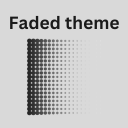
Its soft, muted color scheme and faded textures evoke a sense of nostalgia, making every new tab feel like a trip down memory lane.
- Play more games on the top-left menu. Description: The "Bounce Ball" extension is an exciting and dynamic addition to your web browsing experience. Designed to enhance your productivity and entertainment, Bounce Ball adds an element of fun and interactivity to your online activities. Key...
A simple emoji saver which help people to save mixed emoji from emoji kitchen
Have you ever needed to copy a link from a Slide and send it to your friend or co-worker? If so, this extension was made for you! With Mrs Links a Lot you will be able to choose between several link options, to download in PDF, image, among others... Just click on the extension icon and if the...
Say goodbye to the hassle of switching tabs or navigating through different platforms just to send a video message. With the Cammio Clips Chrome Extension, make your recruitment process faster, more personal, and incredibly efficient—all from the comfort of your browser. *Note: An active Cammio...
1. The playback progress bar can be kept visible continuously by pressing Ctrl/Cmd + Shift + U. 2. You can hide/show the playback controller UI and the progress bar using Ctrl/Cmd + Shift + i, O, P. 3. Subtitles can be freely moved and locked in position. 4. I don't like these default shortcuts....