
Mr.Sagasu
by eetann3.7
3 reviews
41
users
Published
October 30, 2022
Screenshots

Description
* Bookmark Nickname: Open bookmarks with hashtags at once
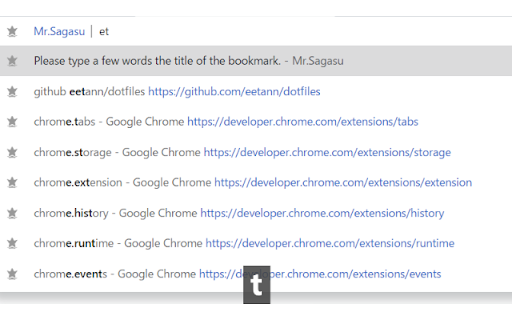
* search to only titles of bookmarks at the address bar
* fuzzy match = All you have to do is type a few characters
Usage
Bookmark Nickname
0. Add hashtag to the title of bookmark
1. Enter key bindings(default Ctrl + Shift + Y)
2. Enter hashtags on the popup screen
3. Press Enter key or Enter button on the screen
Search titles of bookmarks at the address bar
1. Move at the address bar
2. Type "b" and space key
3. Type a few characters
4. Choice a suggest by using arrow keys and enter key