
CvMaster - accelerate talent sourcing
by JobMaster Ltd.11
users
Published
September 20, 2023
Screenshots


Description
Lets drill down:
1. Connect your cvMaster ATS.
2. Connect your Linkedin profile
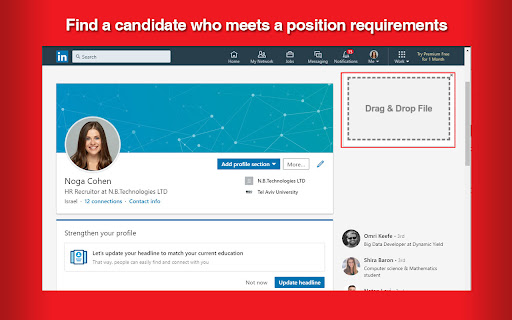
3. Find a candidate who meets a position requirements
4. Make sure you add the candidate to your network.
5. Save the profile as PDF.
6. Place the saved PDF in “Drag&Drop file” window .
7. Choose relevant project on your cvMaster ATS (optional)
8. Press the Save button and you are done!
Highlights:
→ Candidate profiles are automatically created, parsed and ready for your next step.
→ When a candidate is already on cvMaster, you can see the candidate’s current step and profile on LinkedIn and on your ATS cvMaster.
Congratulations! You have completed the sourcing process on LinkedIn, now you can continue the process on cvMaster.