
Full Screen for Google Slides™
by Free Apps5.0
3 reviews
7.0K
users
Published
June 20, 2023
Screenshots
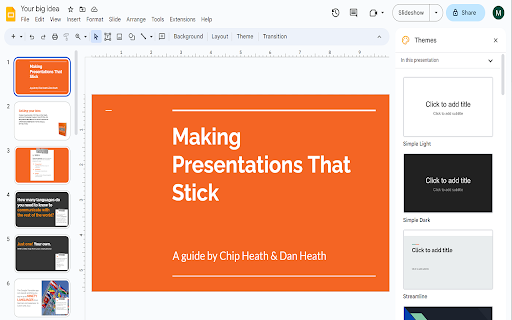

Description
Want to make your Google Slides full screen while you're in edit mode? You can do so today when you use our
extension.
Here are the steps needed to allow Google Slides to turn into full screen mode while you can still edit the slides.
1) Install our software extension
2) Go to your Google Slide presentation
3) Click on the extension icon and choose full screen mode.
The main benefits of being able to edit Google Slides while you're in full screen are
- If you are in a Zoom call/Google Meet call, the other particpants in the call are able to view the slides more clearly in
full screen mode.
- Makes brainstorming in virtual group meetings a lot easier
Try this free software today.
Add to Chrome
Quick Info
- Version
- 3.0.0
- Size
- 118KiB
- Price
- Free
- Type
- Extension
Categories
Languages
DeutschEnglishFilipinoIndonesiaMelayuNederlandsTiếng ViệtTürkçecatalàdanskeestiespañolfrançaishrvatskiitalianolatviešulietuviųmagyarnorskpolskiromânăslovenčinaslovenščinasuomisvenskačeštinaΕλληνικάбългарскирусскийсрпскиукраїнськаעבריתالعربيةفارسیहिन्दीไทย中文(中国)中文(台灣)日本語한국어