
ShipCenter
by Mert Nacakgedigi5.0
1 reviews
17
users
Published
April 14, 2024
Screenshots

Description
Must have Chrome Extension For Amazon Sellers!
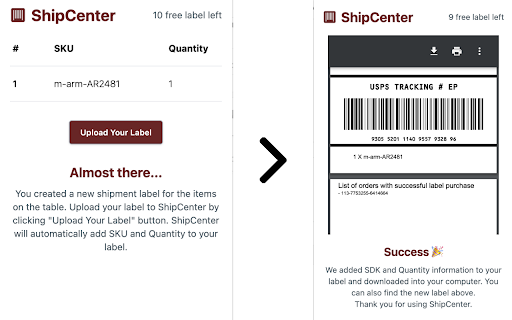
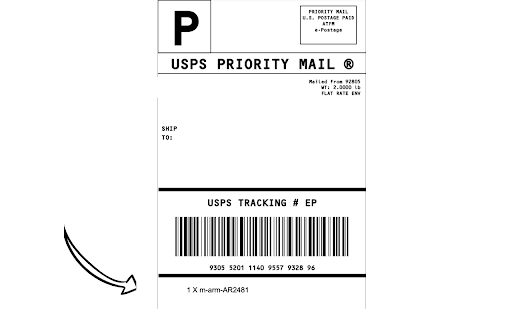
By automating the process of adding SKU and quantity information to your shipping label, you'll save valuable time and eliminate errors.
How it works
Get started with ShipCenter today and simplify your shipping process! Here's how it works:
- Download and enable the ShipCenter extension on Chrome.
- Create a shipment label for your customer in your Amazon Seller Central account.
- Open the ShipCenter extension and confirm that it has accurately detected the items in your shipment.
- Upload your shipment label to ShipCenter. Our system will automatically add the SKU and Quantity information to the label
https://ship-center-web.pages.dev
Add to Chrome
Quick Info
- Version
- 0.0.5
- Size
- 371KiB
- Price
- Free
- Type
- Extension
Categories
Languages
English (United States)