Overleaf Copilot Command
by Command M10
users
Published
December 15, 2023
Screenshots

Description
Copilot for Overleaf,
Forked by Command
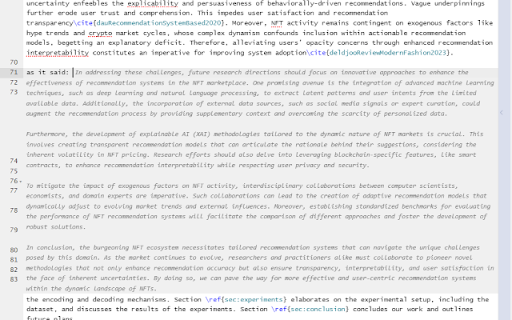
Enhance your writing experience on Overleaf with our Copilot extension. Dive into an array of features crafted to elevate your content:
- Auto-Completion:
As you pen down your thoughts, the Copilot anticipates and suggests the continuation for your sentences or paragraphs, taking cues from the content already present on the page.
Simply type a whitespace at the end of your sentence or press enter for a new line to activate this feature.
- Text Enhancement with GPT:
Refine your selected text with the power of GPT, ensuring your content is crisp and engaging.
Discover Related Content:
- Delve into a trove of content from arXiv with just a selection of your text.
Indexed abstracts from papers published post-April 2007 are at your fingertips.
This feature utilizes semantic search, powered by the BAAI/bge-small-en-v1.5 embedding, to bring relevant content to you.
Configurability & Privacy:
Tailor the extension to your preference:
- Customize prompts used in "Auto-Completion" and "Text Enhancement", or simply opt for our default suggestions.
- Enable or disable each feature as per your requirement.
- To jumpstart your experience, simply integrate your personal OpenAI API key.
Your privacy is paramount:
- Your API key remains confined to your browser and is never shared.
- All requests are dispatched directly to OpenAI. For the tech-savvy, monitor these requests using the DevTool.
Written by GPT
------------------------------------------------------------------------------------------
Source code is available at https://github.com/c0mm4nd/overleaf-copilot