Shuffler
by Ali Yousuf5.0
2 reviews
55
users
Published
September 6, 2023
Screenshots
Description
Shuffle and post list of attendees in random order for your daily stand up order!
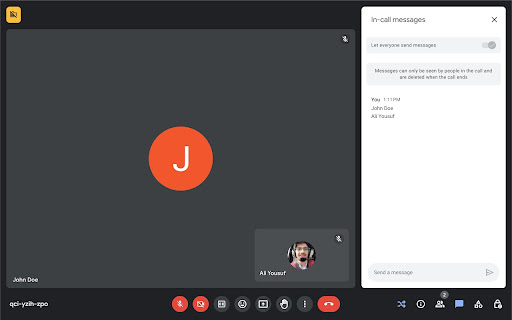
After joining the meeting, click the Shuffler icon from bottom right and it will print out the list.
Anyone who joins later, will be added to the list at the bottom.
Do you want to randomize the list again?
Either toggle off and on the Shuffler, or type `/shuffler` in chat.
Do you want to print the list again?
Type `/relist` in chat.
Do you want to randomly pick up only a few people?
Type `/pick 5` to randomly pick only 5 people.