Context Menu Search
by rathinosk.com5.0
2 reviews
166
users
Published
March 27, 2025
Screenshots

Description
Context Menu Search
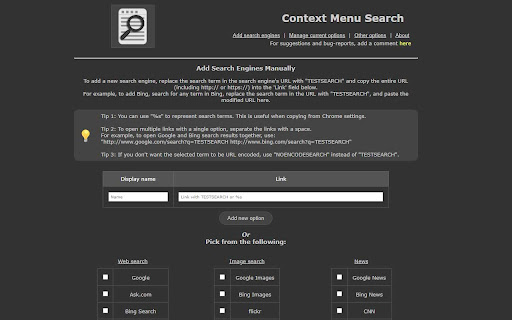
Enhance your browsing experience with "Context Menu Search", a simple yet powerful extension that lets you search selected text quickly and efficiently using your right-click menu. Add your preferred search engines, easily reorder them, and customize how search results are displayed.
Features:
● Multiple Search Engines: Add and manage multiple search engines to the right-click context menu.
● Customizable Search Options: Configure the search results to open in a new tab, either as a focused tab or a background tab.
● Tab Placement: Set the location of the newly opened tab to be either next to the current tab or at the end of the tab list.
● Order Management: Arrange the order of the search engines in the context menu according to your preference.
● Predefined Search Engines: Choose from a list of more than 60 built-in search engine definitions for easy setup -- and customize them to your needs.
● Custom Search Engines: Add custom search engines that are not included in the predefined list.
● Handles Foreign-Language Searches: Supports non-english characters in search strings without issues.
● Chrome Sync Support: One configuration shared across all browsers synced to your Chrome account.
Why install Right-Click Context Menu Search?
● Saves time and effort by searching directly from the context menu.
● Customize your search experience to suit your individual needs.
Basic Usage:
1. Select the text you want to search for.
2. Right-click to open the context menu.
3. Choose your desired search engine from the list.
4. The search results will open in a new tab based on your configured options.
Requires: Tested with Chrome 132 and later, but should work with older versions.
Support: Your feedback is valuable! If you find this extension useful, please leave a review. For support or suggestions, please use the support link.
Known Issues:
● Search engine icons cannot be displayed in the context menu.
● Chrome has some restrictions on where custom context menus can be placed.
● The extension is currently only available in English.