Sidebar Clock
by SuperExt4.0
4 reviews
1.0K
users
Published
November 25, 2025
Screenshots



Description
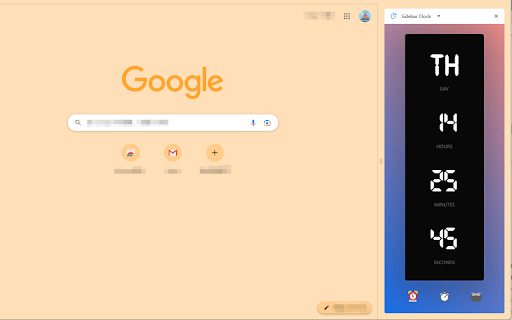
Sidebar Clock is a sleek and intuitive Chrome extension that transforms your browser's sidebar into a comprehensive time management tool. With its clean interface and essential features, it helps you stay on track throughout your day without leaving your browser window.
### Key Features
⏰ **Digital Clock**
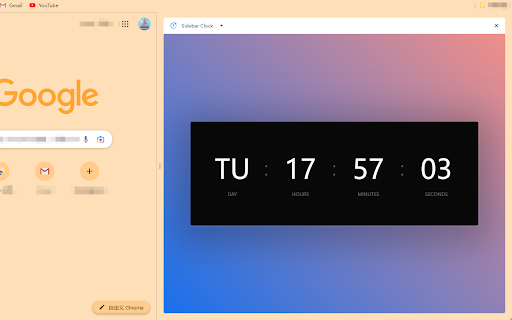
- Real-time display of current time
- Shows day, hours, minutes, and seconds
- Clean and easy-to-read digital format
- **12H/24H format toggle** - Switch between 12-hour (with AM/PM) and 24-hour formats
- Smooth format transition animations
⏱️ **Stopwatch**
- Start, pause, resume, and reset functionality
- Precise timing to the second
- **Background Persistence** - Continues tracking even when the sidebar is closed or browser is restarted
- Perfect for tracking tasks and activities
- Clean interface with intuitive controls
⏲️ **Timer**
- Customizable countdown timer
- Set hours, minutes, and seconds
- **Persistent State** - Timer continues in the background; never lose track of time
- Visual progress ring indicator
- Audio notification when timer completes
- Start, pause, and reset controls
- Status indicators for running, paused, and finished states
🍅 **Pomodoro Timer**
- Standard Pomodoro technique implementation
- 25-minute work sessions
- 5-minute short breaks
- 15-minute long breaks after 4 work sessions
- **Smart Background Tracking** - Sessions continue accurately even if you switch tabs or close the sidebar
- Beautiful circular progress indicator with blinking separator
- Session counter to track completed Pomodoros
- Audio notifications between sessions
- Controls to start/pause, reset, or skip sessions
- Automatic session switching
- Phase indicators showing current session type
- State persistence across browser sessions
### Why Choose Sidebar Clock?
- **Minimalist Design**: Clean interface that doesn't distract from your work
- **Easy Access**: Always available in your browser's sidebar
- **Four Essential Tools**: Clock, stopwatch, timer, and Pomodoro in one extension
- **No Ads**: Pure functionality without any advertisements
- **Privacy Focused**: No data collection or tracking
- **Smooth Animations**: Beautiful transitions and visual feedback
- **State Persistence**: Your timer states are saved across browser sessions
### How to Use
1. Install the extension and click the toolbar icon to open the sidebar
2. Switch between features using the bottom navigation icons:
- ⏰ Clock - For current time with format toggle
- ⏱️ Stopwatch - For timing activities
- ⏲️ Timer - For countdown timing
- 🍅 Pomodoro - For focused work sessions
3. Simple controls:
- Clock: Toggle between 12H/24H formats using the switch
- Stopwatch: Click to start/pause, reset when needed
- Timer: Set your desired time and use start/pause/reset controls
- Pomodoro: Start/pause timer, reset for new session, or skip current session
### Technical Requirements
- Chrome browser version 114 or higher
- Minimal system resources
- Works offline