MeetGeek: AI Meeting Notes, Transcripts & Screen Recording
by app4.5
15 reviews
10.0K
users
Published
September 17, 2025
Screenshots



Description
MeetGeek transforms online calls with AI meeting automation 🤖
Say goodbye to manual note-taking and hello to seamless integration across Zoom, Google Meet, Microsoft Teams, and more!
Using the MeetGeek Chrome extension is FREE. Here’s how to enable it:
- Install the extension and pin it to your browser bar
- Log in or sign up for a free MeetGeek account
- Start a meeting on your preferred platform—MeetGeek joins in one click!
How it works:
✔ To record without the bot: Click the video camera icon in the MeetGeek widget during the meeting and select the Chrome tab you want to record.
✔ To use the AI notetaker automatically (record with bot): Sync your calendar with MeetGeek and enable the “Automatic join” setting.
✔ To invite the bot to ad-hoc calls: Click the widget’s “Invite notetaker” option or paste the meeting link into the extension sidebar.
With the MeetGeek extension, you’ll be able to:
🎥 Record online meetings anywhere without an AI bot or notetaker
⏸️ Pause or resume note-taking anytime through the floating widget
⚙️ Easily control whether the notetaker joins your scheduled meetings
🪢 Instantly invite the AI notetaker to your Zoom, Google Meet, and Microsoft Teams calls
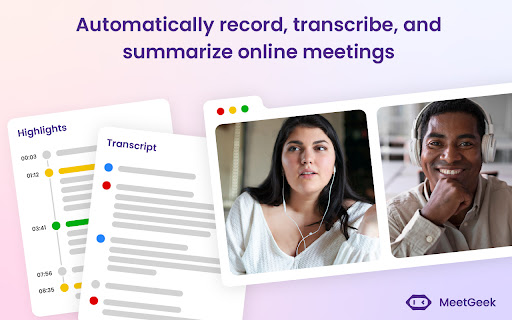
📂 Access your latest meeting summaries & transcripts directly
🚀 How MeetGeek already boosts meeting productivity for 30k+ teams:
- Instant AI note-taking: Save time with automated notes and searchable transcripts
- Automated AI meeting summaries: AI extracts key points, decisions, and action items
- Multi-language transcription: Transcribe in 60+ languages including English, French, Spanish, Portuguese, German, Arabic, Chinese and more
- Meeting insights & analytics: Track speaker talk time, engagement, meeting trends, and more
- Custom automation: Sync meeting insights directly into tools like HubSpot, Salesforce, Notion, ClickUp, and set up tailored workflows (10,000+ apps through Zapier & Make)
- Easy sharing & collaboration: Share meeting summaries and action items with your team
🔒 MeetGeek secures powerful data encryption, GDPR compliance, and SOC2 Type 2 certification. Read more about it at https://meetgeek.ai/security
Turn every meeting into a productivity powerhouse ⚡
Get started with MeetGeek today—a FREE plan is available!
Need help?
Visit meetgeek.ai for more info or explore our Help Center at https://support.meetgeek.ai/en/articles/9148521-meetgeek-chrome-extension
Follow us for updates:
- LinkedIn & YouTube: MeetGeek
- Instagram & TikTok: @meetgeek.ai
- Twitter: @MeetgeekA