URL Encode & Decode
by GPTBLOX360
users
Published
October 29, 2025
Screenshots



Description
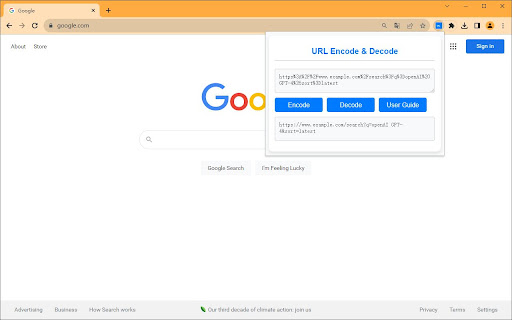
The URL Encoder & Decoder Chrome Extension allows you to easily encode and decode URLs with just one click. Whether you're a developer, a data analyst, or anyone who deals with URLs, this extension will save you time and make your tasks more efficient.
Features:
• Simple, clean UI
• Quick encoding and decoding of URLs
• Input validation to ensure accuracy
• Helpful alerts and user guide
How to Use:
• Open the extension by clicking its icon in the Chrome toolbar.
• Paste or type the text you want to encode or decode into the "Input" textarea.
• Click "Encode" to encode the text or "Decode" to decode it.
• The result will be displayed in the "Output" textarea.